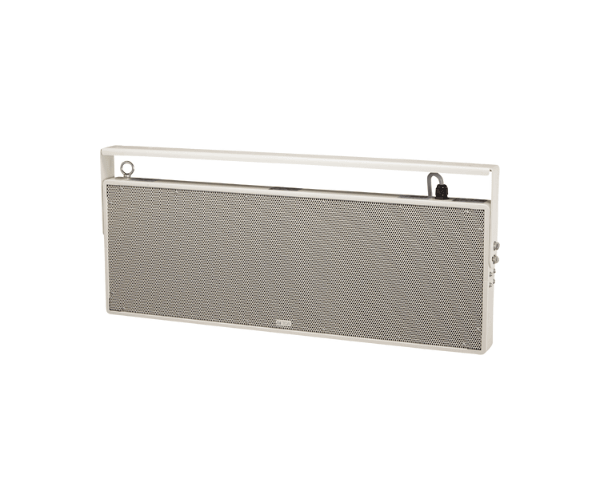
About of Toa PW-1430DW Plane Speaker
The Toa PW-1430DW Plane Wave Speaker is a high-performance model with a sleek, compact design. Suitable for commercial and public use, this speaker system offers wide sound dispersion with great clarity; hence, it's perfect for speech intelligibility applications.
PW-1430DW Plane Wave Speaker in BD
The Toa PW-1430DW Plane Wave Speaker serves best where the surroundings demand clear, wide-dispersion audio. Be it retail, corporate offices, or any other public setting, this speaker offers crystal-clear sound clarity with the greatest reliability. With a compact, sleek design, it assures both performance and aesthetics for professional audio installations.
User Experience
The Toa PW-1430DW Speaker boasts sensational audio presence in any given room with clear and rich sound resounding off all corners. Its pattern of dispersion spreads the sound uniformly within space, reaching out to every nook without loss. Its installation comes in handy, and it's durably made to endure performance against severest environmental conditions with outstanding longevity. Toa's performance is as dependable while employed in a busy store, office, or hotel lobby. The speaker is truly efficient, offering very high sound clarity at varied volumes. Its versatility is indeed a great choice for any commercial application.
Why Choose the Toa PW-1430DW Plane Speaker?
- Wide Sound Dispersion: Even sound dispersion over large areas.
- Sleek and Compact Design: Aesthetically Appealing and Saves Space.
- Heavy-Duty Construction: Built to withstand commercial conditions.
- Easy Installation: Surface mount design for easy installation.
- Diverse Applications: It applies to offices, retail outlets, and public areas.
Installation Steps
- Choose an appropriate location for the Toa PW-1430DW, ensuring it provides wide sound coverage.
- Mount the speaker securely using the provided mounting brackets or screws.
- Connect the speaker to the audio source using standard speaker wire.
- Test the speaker to ensure proper sound output and adjust positioning as needed.
- Fine-tune the audio settings for optimal sound quality based on the environment.