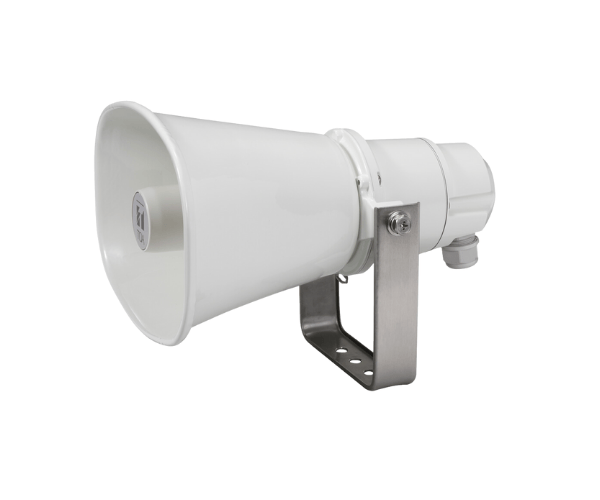
About of Toa IP-A1SC15 IP Horn Speaker
The Toa IP-A1SC15 IP Horn Speaker is a high-performance speaker for public address systems with superior sound clarity, weather-resistant durability, and easy integration into IP-based systems. It works very well outdoors, with clear audio over long distances.
Toa IP-A1SC15 IP Horn Speaker in BD
The Toa IP-A1SC15 IP Horn Speak-er is fully reliable with audio for public address systems, superior audio output, and withstand outdoor harsh weather conditions because of its rating of IP65. Suitable for most environments, it easily integrates with IP-based networks and will ensure that the message is delivered crisply under any condition.
User Experience
Users reported exceptional performance from the Toa IP-A1SC15 IP Speak-er, praising the powerful audio output and easy installation. It is very durable, resistant to bad weather, and hence suitable for open areas, including construction sites, schools, and public squares. Most customers love the simplicity of setting up and integrating it with their existing IP systems. It is clear, ensuring that messages get through, even from a far distance. The IP-rated design offers peace of mind with the assurance of a weather-resistant speaker that can be challenged in challenging environments.
Why Choose the Toa IP-A1SC15 IP Horn Speaker?
- Reliable Audio Output: For clear sound at long distances.
- Weatherproof: IP65-rated, it is suitable for use outdoors in most weather conditions.
- Easy Integration: It easily integrates with existing IP systems.
- Durable Design: Its tough and resistant outer casing makes it last long.
- Powerful: 15W output, high-quality audio in all situations.
The Toa IP-A1SC15 IP Speaker is highly commendable for its reliability and performance in harsh environments. Its robustness and clear audio output make it popular for public address systems.
Installation Steps
- Choose an appropriate location for the Toa IP-A1SC15, keeping in mind that it should be near a 24V DC power source or PoE.
- Mount the speaker on a wall, pole, or ceiling using the provided hardware.
- Connect the loudspeaker to the network using a standard Ethernet cable over IP.
- Check that connections are good and the speaker is well attached.
- Configure the settings of the loudspeaker with the use of a compatible software in your IP network.
- Test the loudspeaker to see whether it gives clear audio and integrates perfectly with your PA system.