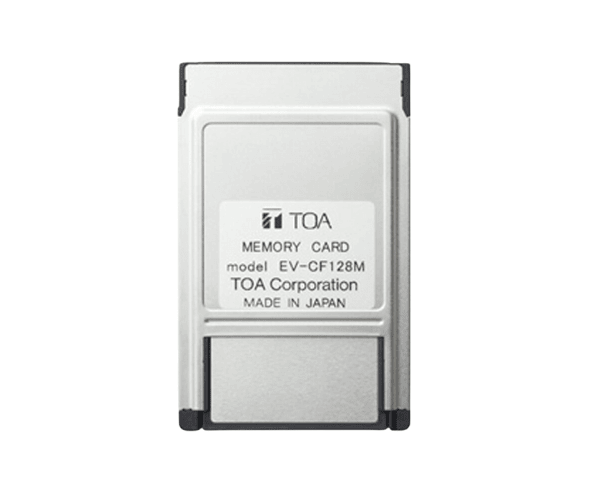
About of Toa EV-CF128M Memory Card
The Toa EV-CF128M Memory Card is a high-performance storage solution with fast reading and writing speeds, and with 128GB capacity, it is suitable for photos, videos, and documents with excellent performance on multiple devices.
Specification
| Feature |
|
| Model |
Toa EV-CF128M |
| Capacity |
128GB |
| Type |
SDXC |
| Read Speed |
Up to 100MB/s |
| Write Speed |
Up to 60MB/s |
| Form Factor |
SD Card |
| Compatibility |
Compatible with most cameras, smartphones, and tablets |
| Durability |
Waterproof, shockproof, and temperature resistant |
| Operating Temperature |
-25°C to 85°C |
| Storage Technology |
Flash Memory |
Description
Toa EV-CF128M Memory Card in BD
The Toa EV-CF128M Memory promises high data transfer rates with a capacity of 128GB. It is designed to work perfectly with cameras, smartphones, and tablets for effective and reliable performance, both for everyday users and professionals. The construction is solid and durable to stand up against harsh environments.
User Experience
Excellent performance will always be guaranteed with this Toa EV-CF 128M Series Card. Users have enough space for high-resolution images, videos, and more data with 128 GB. It also promises high reading/writing speed, making transferring rates really fast. This Toa EV-CF 128M offers continuous performance-be it professional photography, creation of content, or casual use in general. Moreover, it is resistant to water, shock, and temperature fluctuations, adding that extra bit of peace of mind and making the memory card highly reliable for all users. The card ensures versatility because it can support a wide range of devices.
Why Choose the Toa EV-CF-128M Memory Card?
- At 128GB, store more photos, videos, and even files.
- Ensure that reading and writing rates are fast enough for quick file transfers.
- Durable build: waterproof, shockproof, and temperature tolerance.
- Reliable performance for personal and professional applications alike.
Installation Steps
- Insert the Toa EV-CF128M Card into the SD card slot of your device.
- Allow detection by the device.
- If your device requires formatting, follow the on-screen commands.
- Once the card is detected and probably formatted, you can use it for storage.
- Move your files from your device to the memory card.
- When you're done using it, safely eject the card.