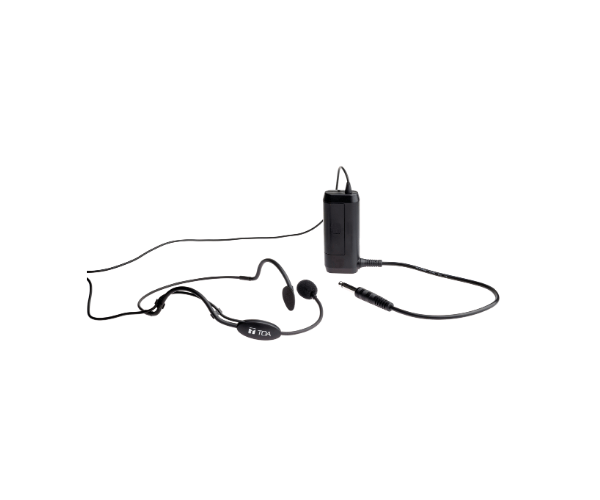
About of Toa EM-371HS Microphone
The Toa EM-371HS Headset Microphone is used for presentations, performances, and lectures it produces crystal-clear audio. It is lightweight yet very durable and comfortable for extended wear. The Toa EM-371HS Microphone serves demanding environments with professional-grade sound quality and is variably deployable into many fields.
Specification
| Feature |
Details |
| Microphone Type |
Electret condenser |
| Polar Pattern |
Unidirectional |
| Frequency Response |
100 Hz – 16 kHz |
| Sensitivity |
-67 dB ±3 dB (0 dB = 1 V/Pa, 1 kHz) |
| Connector Type |
Miniature plug with locking ring |
| Cable Length |
1.2 meters |
| Weight |
Approximately 30 grams |
Description
Toa EM-371HS Headset Microphone in BD
The Toa EM-371HS Microphone is designed for professionals who want precision and clarity. Its ergonomic design provides comfort for long uses. Equipped with state-of-the-art technologies, the Toa EM-371HS Microphone guarantees an outstanding audio experience from public speaking and stage performances to training sessions. Feel the quality sound with this light and easy-to-use device.
User Experience
Users highly praise the performance and comfort of Toa EM-371HS Headset Microphones. Lightweight in design, they reduce fatigue from long wear, while the unidirectional pickup assists in minimizing background noise for clear, comprehensible communication. Professionals have trusted the Toa EM-371HS Microphone for dependable sound across a wide variety of settings-from the busiest of lecture halls to live stages anywhere. Easy to connect and operate, it's one of those go-to solutions when the requirement is to get hassle-free audio.
Why Choose the Toa EM-371HS Headset Microphone?
- Lightweight, ergonomic design for comfort all day.
- Crystal clear sound with minimal background noise.
- Reliable for both professional and casual settings.
- Constructed with durable materials for long life.
- The Toa EM-371HS is easily mounted and simple to operate.
Installation Steps
- Carefully unpack the Toa EM-371HS Microphone.
- Place the microphone near your mouth to ensure better audio quality.
- Connect the miniature plug to your audio device securely.
- Adjust the headset to a snug but comfortable fit.
- Always check the microphone for good sound levels before proceeding.