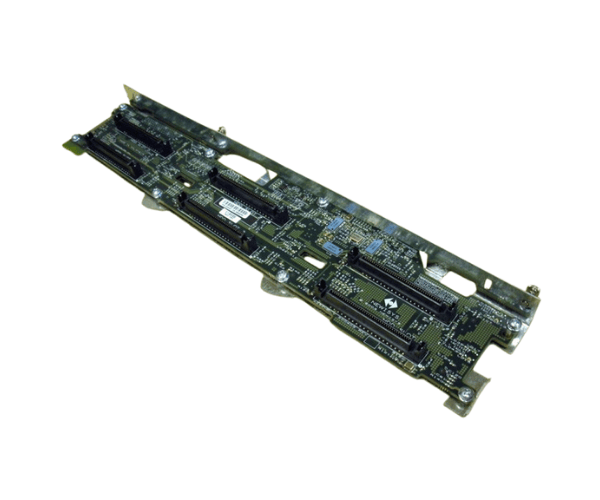
The
Sun 370-6926 6-Slot SCSI Disk Backplane for V40z is designed to enhance your server's storage capabilities. This reliable backplane allows for the connection of multiple SCSI hard drives, ensuring efficient data management and optimal performance for various applications within the Sun V40z server.
Specification
| Feature |
Details |
| Brand |
Sun |
| Model |
370-6926 |
| Dimensions |
9 x 6 x 1.2 inches |
| Weight |
1.2 lbs |
| Supported Drives |
SCSI Hard Drives |
| Number of Slots |
6 |
| Compatibility |
Sun V40z |
| Operating Temperature |
0°C to 70°C |
| Connector Type |
SCSI |
Description
Sun 370-6926 6-Slot SCSI Disk Backplane for V40z in BD
You can find the
Sun 370-6926 SCSI Disk Backplane for V40z at authorized retailers and online platforms in Bangladesh. Be sure to buy from trusted vendors to ensure you receive a genuine product that performs optimally in your server environment.
User Experience
Customers often report positive experiences with the
Sun 370-6926 SCSI Disk Backplane for V40z. Users appreciate its straightforward installation and the significant performance improvements in data storage it offers. Many highlight the board's durability and efficiency, making it a favored choice among IT professionals for both enterprise and smaller setups.
Why Choose Sun 370-6926 6-Slot SCSI Disk Backplane for V40z?
Selecting the
Sun 370-6926 SCSI Disk Backplane for V40z means investing in a high-quality component that maximizes your server's storage potential. This backplane accommodates up to six SCSI drives, allowing for flexible storage configurations. Its easy installation and compatibility with the Sun V40z ensure that you can enhance your system without complications.
Key Features
- Supports up to six SCSI hard drives, providing ample storage options.
- Durable construction ensures long-lasting performance and reliability.
- Designed for easy installation tailored for the Sun V40z server.
- High-performance SCSI connectors enable fast data transfer rates.
- Ideal for various applications, from small businesses to larger enterprises.
Installation Steps
- Turn Off the Server: First, ensure the server is completely powered down and unplugged from the power source.
- Remove the Server Cover: Next, carefully detach the server cover according to the manufacturer's instructions.
- Locate the Backplane Slot: After that, identify the designated area for the SCSI disk backplane within the server.
- Insert the Backplane: Then, align the Sun 370-6926 SCSI Disk Backplane for V40z into the slot and push it firmly until it clicks into place.
- Connect the Drives: Following this, securely attach your SCSI hard drives to the backplane using the appropriate connectors.
- Reattach the Server Cover: Subsequently, firmly place the server cover back on the chassis.
- Power On the Server: Finally, reconnect the power and turn on the server, then check to ensure all drives are functioning properly.
Where it Can Be Used?
The
Sun 370-6926 SCSI Disk Backplane for V40z is perfect for data centers, server rooms, and environments utilizing the Sun V40z server. Its reliable performance makes it suitable for applications requiring efficient data storage and management, from enterprise-level operations to smaller configurations.
What is the Price of Sun 370-6926 6-Slot SCSI Disk Backplane for V40z in BD?
Crystal Vision Solutions specializes in Oracle Sun Server Backplane solutions, including the
Sun 370-6926 6-Slot SCSI Disk Backplane for V40z, catering to diverse needs in Bangladesh. Our products ensure optimal performance and reliability, backed by competitive pricing and expert service to meet your business’s requirements effectively. Pricing for the
Sun 370-6926 SCSI Disk Backplane for V40z depends on product availability and condition, so please contact us for the latest details.