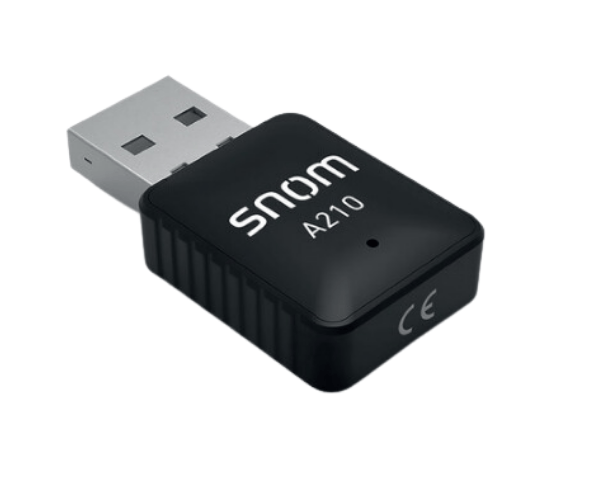
The
Snom A210 Wi-Fi USB Dongle transforms your wired Snom IP phones into wireless devices, enabling seamless connectivity to Wi-Fi networks. Its compact design and plug-and-play functionality make it an ideal solution for businesses and remote workers seeking reliable, flexible, and cable-free communication.
Specification
| Feature |
Details |
| Brand |
Snom |
| Model |
A210 |
| Device Type |
Wi-Fi Adapter |
| Connectivity |
Wireless (Wi-Fi) |
| USB Interface |
USB 2.0 |
| Wi-Fi Standards |
IEEE 802.11b/g/n |
| Frequency |
2.4 GHz |
| Compatibility |
Snom IP phones |
| Dimensions |
Compact and portable |
| Power Supply |
Powered via USB |
Description
Snom A210 Wi-Fi USB Dongle in Bangladesh
The
Snom A210 Wi-Fi Dongle is readily available in Bangladesh through local retailers and online stores. It provides a convenient solution for businesses and individuals looking to enhance their Snom IP phones with wireless connectivity, making it an essential accessory for modern communication setups.
User Experience
Users of the
Snom A210 Wi-Fi Dongle praise its ease of installation and stable Wi-Fi performance. Its plug-and-play design eliminates technical challenges, and the dongle delivers reliable connectivity for smooth voice and video communication. The compact form factor is highly appreciated for its portability and unobtrusive design.
Why Choose the Snom A210 Wi-Fi Dongle?
The
Snom A210 Wi-Fi Dongle offers a simple yet powerful solution for converting Snom IP phones into wireless devices. It eliminates the need for Ethernet cables, providing greater flexibility for phone placement. The dongle ensures fast and stable Wi-Fi connections, making it perfect for both office and remote work environments.
Key Features
- Wireless Connectivity: Converts wired Snom IP phones into wireless devices, removing Ethernet cable limitations.
- Stable Wi-Fi Performance: Supports IEEE 802.11b/g/n for fast and reliable connections.
- Plug-and-Play Design: Quick and effortless setup without additional software or drivers.
- Compact and Portable: Small, lightweight design fits seamlessly with your Snom devices.
- Broad Compatibility: Specifically designed for Snom IP phones, ensuring seamless integration.
Quick Setup Guide for Snom A210 Wi-Fi Dongle
- Connect the Dongle: Insert the Snom A210 Wi-Fi Dongle into the USB port of your Snom IP phone.
- Access Wi-Fi Settings: Navigate to the phone's settings menu and enable the Wi-Fi option.
- Select a Network: Choose your preferred Wi-Fi network from the available list.
- Authenticate: Enter the Wi-Fi password to connect securely.
- Verify Connection: Check the phone's network status or make a test call to ensure connectivity.
- Start Using: Enjoy seamless wireless communication with your Snom IP phone.
Where it Can Be Used?
The
Snom A210 Wi-Fi Dongle is versatile and suitable for use in:
- Offices: Enhance flexibility in office setups by eliminating cable clutter.
- Home Offices: Perfect for remote workers needing reliable wireless connections.
- Conference Rooms: Quickly connect Snom devices to Wi-Fi for collaborative meetings.
- Shared Workspaces: Ideal for coworking spaces where Wi-Fi is the preferred connectivity option.
What is the Price of Snom A210 Wi-Fi USB Dongle in Bangladesh?
Wi-Fi Dongle prices in Bangladesh vary by features and models.
Crystal Vision Solutions offers high-quality options like the
Snom A210 Wi-Fi USB Dongle at the latest price, ensuring top performance, reliability, competitive pricing, and professional service to meet diverse business needs efficiently.