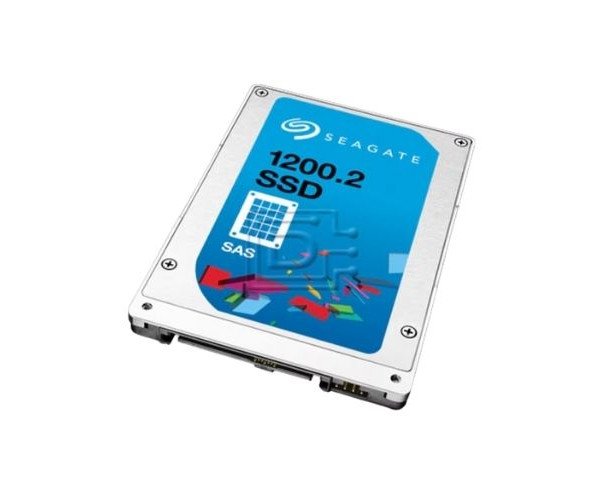
About the Seagate ST400FM0333 400 GB SAS Solid State Drive
The Seagate ST400FM0333 400GB SAS Solid State Drive is built for enterprise-level storage, offering high speed, excellent durability, and secure data handling. It’s perfect for data centers, servers, and demanding storage environments.
Seagate ST400FM0333 400GB SAS Solid State Drive in BD
The Seagate ST400FM0333 400GB SAS Solid SSD is an outstanding product for its high performance and reliability that lasts long. It has been built specifically for use in enterprise environments and for reading high-speed data, making it excellent for big data applications, high-performance computing as well as mission-critical workloads.
User Experience
Bringing in the Seagate ST400FM0333 400GB SAS SSD immediately gives enterprise systems an upgrade into something better. Users say that booting is a fast event, accessing data is quite quick and the performance at heavy workloads is highly reliable. With its interface operating at 12Gb/s through SAS, it helps enable very smooth data transfer with no lags or stutter. System administrators appreciate this drives low power consumption with a long MTBF, making it a trustworthy solution. It performs consistently in servers, workstations and data arrays. For anybody working with massive data, this SSD gives speed, strength and peace of mind.
Why Choose the Seagate ST400FM0333 400 GB SAS Solid State Drive?
The
Seagate ST400FM0333 400GB SAS Solid State Drive demonstrates the value of performance and dependability. Designed for the intense read and write cycles and, at the same time, drastically reduced power consumption, it's another energy-sipping wonder for tight budget IT departments. The high-speed SAS interface, enterprise-grade NAND flash, and tough construction make it just what the doctor ordered for even the most critical storage tasks. Offering great MTBF and SED security, the protection stays for your data to be available when you need it. Going from databases to virtualization, the
Seagate ST400FM0333 400GB SAS SSD masters those chores and everything in between. You will have the speed of quick access along with energy-efficient consumption and durable usage for a long time.
Installation Steps
- Switch off server or workstation before starting.
- Open the drive bay or chassis with necessary tools.
- Insert the drive into one of compatibly provisioned SAS slots for 2.5-inch drive.
- Secure starter latches, or screw bases, depending on the tray.
- Reconnect power and boot the system.
- Configure the drive as necessary within the OS or RAID controller.
- Create storage volumes or partitions and format the drive.
- Start using the drive for data storage or for hosting applications.