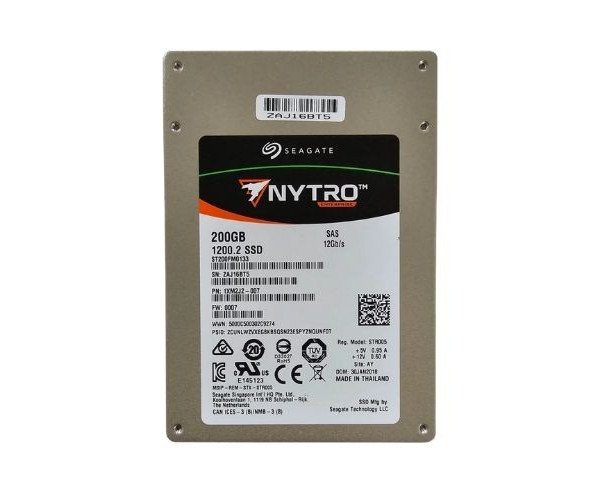
About the Seagate ST200FM0133 200 GB SAS Solid State Drive
The Seagate ST200FM0133 200GB SAS Solid State Drive offers fast data access, reliable performance, and secure storage. Designed for enterprise environments, it ensures smooth operations with high-speed SAS interface and durable design for critical business applications and heavy workloads.
Seagate ST200FM0133 200GB SAS Solid State Drive in BD
The Seagate ST200FM0133 200GB SAS Solid State Drives is engineered for companies with requirements for speedy data manipulation and reliable storage. Ideal for servers, data centers, and enterprise-level systems, this drive features a SAS 12Gb/s interface with high endurance. All of these are packaged into one small device, balancing efficiency, durability, and performance.
User Experience
Users installing this Seagate ST200FM0133 200GB SAS Solid State Drives have noted considerable server program speed boosts. Faster load times for applications, multiple task handling with hardly any lag and extreme load stability are all praises for the drive. IT admins find the installation and integration of its enterprise systems extremely easy and are most assured by its endurance and MTBF ratings. The Seagate ST200FM0133 proves itself to be a steady workhorse in high-demand environments, used for booting, or for databases. No noise, no heat—the unpretentious performance to keep their operations up and running smoothly.
Why Choose the Seagate ST200FM0133 200GB SAS Solid State Drive?
Choosing the
Seagate ST200FM0133 200GB SAS SoIdentify the product of choice: a quality, fast, trustworthy: The name feels like a mark of assurance for enterprise users with a demand for long-standing performance. It boasts a 12Gb/s SAS interface, meaning faster data transfers, with the least amount of latency. The MLC NAND and rugged construction ensure that your data are kept safe even during heavy use. Unlike consumer SSDs, the
Seagate ST200FM133 200GB SAS Solid State Drive is instead designed to sustain a longer life cycle within server environments. Pick this drive for the storage upgrade that meets your increasing business demand.
Installation Steps
- Switch off and unplug your server or system.
- Open up the case or drive tray for the installation of the SSD.
- Carefully insert the Seagate ST200FM0133 200GB SAS SSD in the 2.5-inch SAS bay.
- Secure all connections for the SAS cable and power connector.
- Close the case and turn on the system.
- In BIOS/UEFI, check the drive is detected.
- In your OS, format and partition the drive as required.
- Start enjoying your new phone for faster and steady performance.