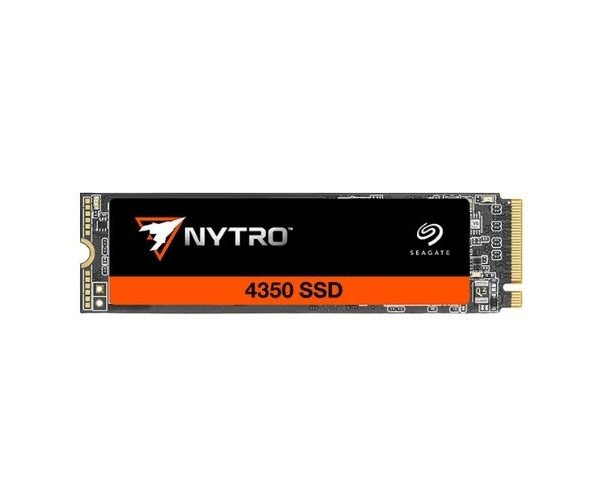
About of Seagate Nytro 4350 XP480SE30001 400 GB NVMe SSD
The Seagate Nytro 4350 XP480SE30001 400GB NVMe SSD offers fast performance, low power use, and strong data protection. Designed for enterprise use, this SSD tackles tough workloads while keeping data secure and readily accessible.
Seagate Nytro 4350 XP480SE30001 400 GB NVMe SSD in BD
The Seagate Nytro 4350 XP480SE30001 400GB NVMe SSD is designed mainly for speed, reliability, and all enterprise storage needs. It accomplishes data-intensive tasks with ease over PCIe Gen4. With very high endurance 3D TLC NAND, this SSD is an excellent choice for business and professional use.
User Experiences
Users experience rapid boot times, fast application loading, and solid performance under pressure on the Seagate Nytro 4350 XP480SE30001 400GB SSD. The SSD delivers architecture-fluent performance for demanding applications and large data files with reliability. The low latency and high IOPS make it a darling among professionals, while IT admins trust it to give long days and weeks of stability. The form factor fits almost any desktop or server, making for an easy installation. It's a solid upgrade for anyone looking for fast, reliable storage in their daily work.
Why Choose the Seagate Nytro 4350 XP480SE30001 400 GB NVMe SSD?
By choosing the
Seagate Nytro 4350 XP480SE30001 400GB NVMe SSD, you are acquiring an enterprise-class product with an M.2 stamp placed on it. It's just what you need for a server workstation or business sites demanding such fast and dependable storage. With high endurance and low power preservation, operational costs are saved while the performance of the system is enhanced. So above the excellent shock resistance and MTBF ratings, you can also be assured of years of peace of mind. Added assurance comes from Seagate's long-standing tradition for quality storage products, earning your trust and confidence in the
Seagate Nytro 4350 XP480SE30001 400GB SSD.
Installation Steps
- Shut down the computer or server completely.
- Open the lid and locate the M.2 slot on the motherboard.
- Insert the Seagate Nytro 4350 XP480SE30001 400GB SSD into the slot at an angle.
- Screw the SSD down if required.
- Close the lid and fire up your system.
- As the system is booting, enter BIOS firmware and confirm the detection of the drive.
- Format and partition the SSD through your OS.
- Now you can start using your fast and great new SSD!