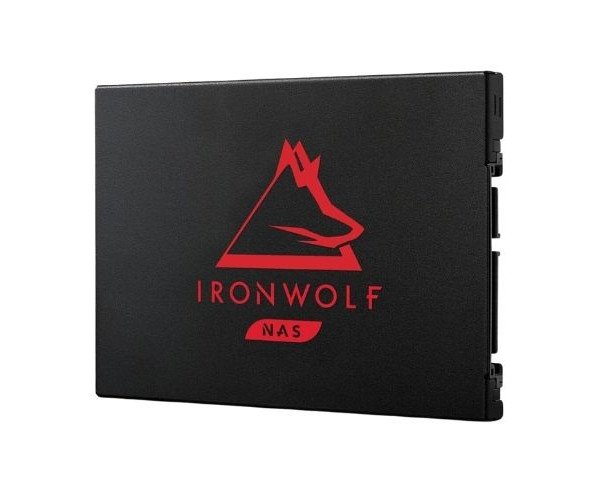
About the Seagate IronWolf ZA2000NM1A002 2 TB 2.5'' SATA III NAS SSD
The Seagate IronWolf ZA2000NM1A002 2TB 2.5 '' SATA III NAS SSD offers fast, durable, and reliable performance for NAS systems. Designed for 24×7 operation, this SSD improves data access, speeds up file sharing, and enhances overall storage performance in networked environments.
Seagate IronWolf ZA2000NM1A002 2TB 2.5'' SATA III NAS SSD in BD
Indeed, this Seagate IronWolf ZA2000NM1A002 - 2TB SATA III NAS SSD is best when building a reliable NAS or upgrading storage space. Specifically designed for 24/7 workloads, the SSD balances speed with endurance for home or small office network file access, not compromising even in heavy workloads.
User Experience
Users say it's fast and quiet - they laud the Seagate IronWolf ZA2000NM1A002 2TB SATA III NAS SSD runs very quick which therefore handles large file transfer or multitasking while under "normal" NAS use without slowing it down. It has no moving parts, therefore cool and silent operation is great for either office or home NAS environments. Whether streaming, backing up, or running virtual machines, this SSD does it all with ease. Its high-endurance, high-performance design provides users with an additional measure of security that their information will still be available even during heavy use.
Why Choose the Seagate IronWolf ZA2000NM1A002 2 TB 2.5'' SATA III NAS SSD?
Going for the
Seagate IronWolf ZA2000NM1A002 2TB 2.5'' SATA III NAS SSD means speed, strength, and safety assurance have been bought. It was built to support heavy workloads 24/7 in a NAS environment, and the two terabytes are enough to cover backup, media libraries, or even business files. With a read/write speed and endurance of up to 2800TBW, this is a piece of hardware for those users whose machines need to run continuously. Anyone looking for a quiet, fast, and long-lasting SSD to help maintain the pace and keep up with their NAS requirements cannot go wrong with the
Seagate IronWolf ZA2000NM1A002 2TB SATA III NAS SSD.
Installation Steps
- Switch Off Your NAS Device - Shut down the NAS product and unconnect it.
- Open Drive Bay - With the proper tool, unlock the bay or enclosure.
- Insert the SSD - Insert the Seagate IronWolf ZA2000NM1A002 2TB SATA III NAS SSD into the SATA slot.
- Secure the Drive - Hold the SSD in place using screws or clips provided.
- Close the Bay - Rejoin the NAS enclosure.
- Power On and Format - Power up the NAS and open admin panel to format or initialize the installed new drive.