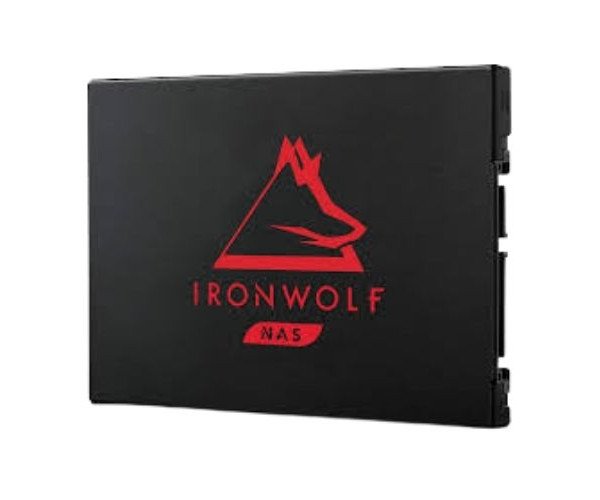
About the Seagate IronWolf 125 ZA250NM1A002 250 GB 2.5 '' SATA III NAS SSD
The Seagate IronWolf 125 ZA250NM1A002 250GB 2.5 '' SATA III NAS SSD is built for high-performance NAS environments. It ensures smooth file sharing, fast data access, and high reliability, making it ideal for home offices and small business storage systems.
Seagate IronWolf 125 ZA250NM1A002 250GB 2.5 '' SATA III NAS SSD in BD
The Seagate IronWolf 125 ZA250NM1A002 250GB SATA III NAS SSD is designed for the demands of 24/7 NAS operations. It is highly durable and has solid endurance, becoming the fast-performing perfect storage solution for individuals and small businesses that rely on storage over a network.
User Experience
Using the Seagate IronWolf 125 ZA250NM1A002 250 GB 2.5'' SATA III NAS SSD has been smooth and productive. It boots with a quick startup, offers very good read/write performance, and can be accessed by many different users without lagging. It almost makes no noise and consumes very low power, which keeps things comparatively cool and quiet. Users experience a consistent speed increase in file transfers, backups, and streaming from the NAS devices. It is a notable upgrade from traditional HDDs, especially where uptime and data safety are of utmost importance, superlatively demanding environments.
Why Choose the Seagate IronWolf 125 ZA250NM1A002 250 GB 2.5'' SATA III NAS SSD?
The
Seagate IronWolf 125 ZA250NM1A002 250GB 2.5'' SATA III NAS SSD is an ideal choice for its NAS-optimized performance and durability for years of service. Heavy workloads are cut through quietly and, when installed in an enclosure, boost the overall NAS response time. It bears up impressively on an endurance test (435 TBW). Handling various data-heavy activities like streaming, sharing, and offering backup services is done easily. It comes packaged in 3D TLC NAND for far better reliability and efficiency compared to traditional HDDs. The
Seagate IronWolf 125 ZA250NM1A002 250GB SATA III NAS SSD is the smart choice for the future-ready home NAS or business file server.
Steps to Installation
- Switch off your NAS and remove the power supply.
- Open the NAS casing manufacturer wise.
- Find the 2.5'' drive bay, remove any cover or screws attached to it.
- Insert the Seagate IronWolf 125 ZA250NM1A002 SSD into the bay.
- Screw the SSD attached only if required.
- Reconnect all cables and close the NAS casing.
- Boot your NAS and enter the storage management system.
- Format your SSD and add it to your storage pool or RAID setup.
- Then you are ready to start using your NAS with improved speed and performance!