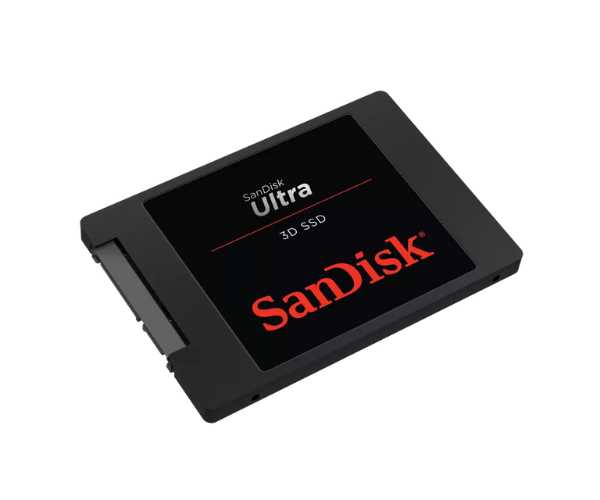
About SanDisk SDSSDH3-2T00-G26 2TB Ultra 3D Server SSD
The SanDisk SDSSDH3-2T00-G26 2TB Ultra 3D Server SSD is a high-capacity solid-state drive that is engineered for serious performance, reliability, and efficiency. It uses cutting-edge 3D NAND technology to deliver ultra-high read/write speeds, low power draw, and extreme endurance, making it perfect for gaming, business, and server environments.
SanDisk SDSSDH3-2T00-G26 2TB Ultra 3D Server SSD in Bangladesh
The SanDisk SDSSDH3-2T00-G26 Ultra 3D Server SSD is readily available in Bangladesh through online retailers and electronics stores. It's available for purchase in Dhaka, Chittagong, and other big cities. It's also found on popular Bangladeshi online shopping websites at affordable prices.
User Experience of SanDisk SDSSDH3-2T00-G26 Ultra 3D Server SSD
The SanDisk Ultra 3D Server SSD users have scorching-fast speeds and greater productivity. It offers rapid boot-up, fast file transfer, and seamless multitasking. For those who are switching from HDDs, speed and system response see a huge boost with almost no noise or heat.
Why Choose SanDisk SDSSDH3-2T00-G26 2TB Ultra Server SSD?
The SanDisk SDSSDH3-2T00-G26 2TB Ultra Server SSD combines speed, capacity, and reliability into one strong solution. With 2TB of capacity, it is perfect for gamers, designers, content creators, and professionals with heavy workloads. It's a smart buy for anyone looking for high-speed storage that will stand the test of time.
Key Features
- 2TB capacity with fast SATA III interface.
- Up to 560MB/s read and 530MB/s write performance.
- Sustained 3D NAND flash for enhanced endurance.
- Low power consumption extends laptop battery life.
- Shock-resistant and vibration-tolerant design.
- Integrated error correction for data integrity.
- Quiet, cool operation with no moving parts.
- Easy to install in desktops, laptops, and servers.
How to Maintain SanDisk SDSSDH3-2T00-G26 2TB Ultra 3D Server SSD?
To maintain your SanDisk SDSSDH3-2T00-G26 2TB 3D Server SSD in peak working condition:
- Update firmware using the SanDisk SSD Dashboard.
- Avoid running the drive at full capacity.
- Run your system in a cool, well-ventilated environment.
- Perform regular backups of important data.
- Periodically defragment other drives (not SSD).
- Monitor drive health using built-in diagnostic tools.
Installation Steps
- Turn off your PC or laptop and shut down.
- Open up the device and locate the 2.5-inch SATA drive bay.
- Place the SanDisk SDSSDH3-2T00-G26 Ultra 3D Server SSD in the slot.
- Connect the SATA data and power cables securely.
- Close the casing and restart the system.
- Enter BIOS to verify SSD detection.
- Format the SSD and load the operating system or clone your existing OS.
Where Can It Be Used?
- Enterprise and business servers.
- Fast-performance desktop computers.
- Laptop upgrades for improved space and battery life.
- Video editing and multimedia production.
- Gaming systems for high-end computers.
- Office applications with data-hungry workloads.
- Educational and research institutions.