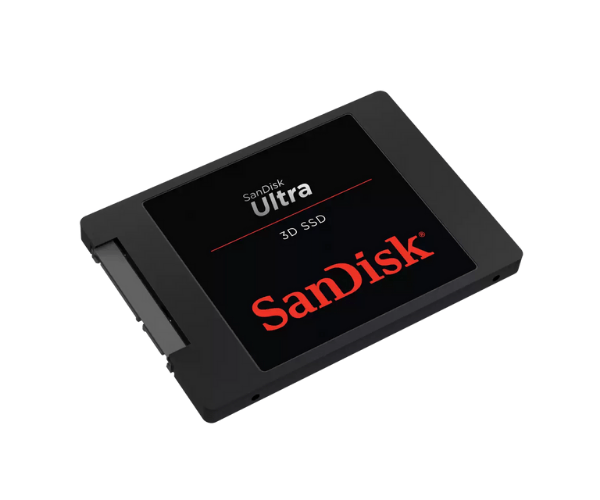
About This SanDisk SDSSDH3-1T00-G26 1TB Ultra 3D Server SSD
The SanDisk SDSSDH3-1T00-G26 1TB Ultra 3D Server SSD is engineered to deliver high-speed performance, huge capacity, and extreme reliability. Utilizing advanced 3D NAND technology, it delivers faster boot times, effortless application loading, and stunning endurance—ideal for gaming, workstations, servers, and multi-tasking environments.
SanDisk SDSSDH3-1T00-G26 1TB Ultra 3D Server SSD in Bangladesh
In Bangladesh, SanDisk SDSSDH3-1T00-G26 1TB Ultra Server SSD is available both online and in the leading tech shops like Dhaka, Chittagong, and Sylhet. You can buy it from trusted sellers, local electronics retailers, or leading e-commerce portals at a reasonable price.
User Experience of SanDisk SDSSDH3-1T00-G26 Ultra 3D Server SSD
Migrators to SanDisk SDSSDH3-1T00-G26 1TB 3D Server SSD have faster boot times, improved multitasking, and fast file transfer. It also significantly improves system responsiveness compared to hard disk drives, thus becoming a favorite for home and business users.
Why Choose SanDisk SDSSDH3-1T00-G26 1TB Ultra Server SSD?
The SanDisk SDSSDH3-1T00-G26 Ultra 3D Server SSD is a value for money proposition with the union of speed, toughness, and capacity. Built with 3D NAND technology, it delivers better energy efficiency and longevity. For gaming, content creation, or server use, it performs reliably and at speed.
Key Features
- Read speed of up to 560MB/s and write speed of up to 530MB/s.
- 1TB capacity for large files and applications.
- Low consumption with high efficiency.
- Shock and vibration resistance for long lifespan.
- Endurance boost through 3D NAND technology.
- Rapid installation in laptops, desktops, and servers.
- Advanced error correction and temperature control.
- Short game and application loading times.
How to Maintain SanDisk SDSSDH3-1T00-G26 1TB Ultra 3D Server SSD
Maintain your SanDisk 1TB Ultra 3D Server SSD in top shape by:
- Checking for periodic firmware updates with SanDisk SSD Dashboard.
- Maintaining at least 10–15% free space for optimal performance.
- Provide adequate airflow within the system to prevent heat accumulation.
- Prevent constant full drive usage.
- Provide periodic backups of important data.
- Use surge protectors for power protection.
Installation Steps
- Turn off your computer or laptop.
- Open the case or the SSD/HDD compartment.
- Mount the SanDisk SDSSDH3-1T00-G26 1TB 3D Server SSD in the 2.5-inch bay.
- Connect the SATA data and power cables.
- Close the case and start up the system.
- Enter BIOS to confirm the SSD recognition.
- Format the SSD and load your OS or clone your existing drive.
Where Can It Be Used?
- Servers in data centers and offices.
- Desktops and laptops for high-end usage.
- Gaming desktops for speedy loading.
- Workstations for 3D rendering and multimedia editing.
- Multitasking-intensive business platforms.
- Education systems and research systems.
- Systems for backup and storage of big files.