Introduction & Key Features
The
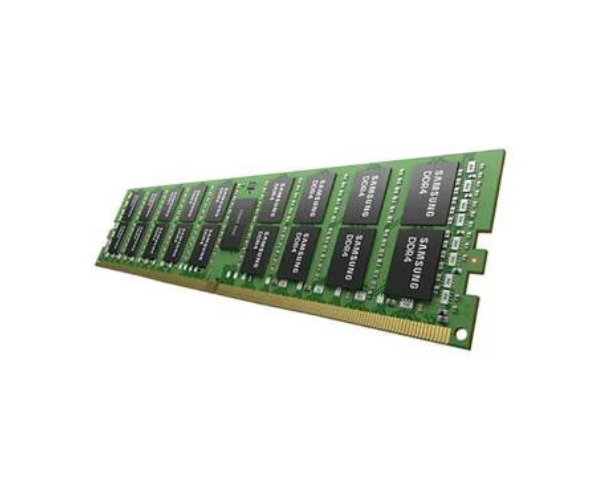
SAMSUNG 64GB DDR4-3200 RDIMM PC4-25600R (M393A8G40BB4-CWE) R750xs is engineered for exceptional performance and reliability in high-demand server environments. Featuring an impressive 64GB capacity and fast 3200MHz speed, this memory module is ideal for managing intensive workloads. The ECC (Error-Correcting Code) ensures data integrity, making it indispensable for critical applications.
Detailed Breakdown of Features
- Capacity: 64GB of DDR4 memory for extensive data handling
- Speed: Operates at 3200MHz for rapid data processing
- ECC (Error-Correcting Code): Detects and corrects memory errors, ensuring data integrity
- RDIMM (Registered DIMM): Enhances stability and performance by reducing electrical load on the memory controller
- PC4-25600R: Ensures high bandwidth and performance for demanding applications
- Compatibility: Compatible with a variety of servers and workstations, providing versatile deployment options
User Experience
Users of the
SAMSUNG 64GB DDR4-3200 RDIMM PC4-25600R (M393A8G40BB4-CWE) R750xs report seamless and reliable performance, even under heavy workloads. The high capacity and speed support efficient multitasking and robust data management, making it ideal for enterprise-level server applications.
Why Choose SAMSUNG 64GB DDR4-3200 RDIMM PC4-25600R (M393A8G40BB4-CWE) R750xs?
Choosing the
SAMSUNG 64GB DDR4-3200 RDIMM PC4-25600R (M393A8G40BB4-CWE) R750xs means investing in superior performance and reliability. Its large capacity and high speed make it perfect for demanding environments, while the ECC feature ensures data integrity, crucial for mission-critical operations.
Product Description
| Feature |
Details |
| Product Name |
SAMSUNG 64GB DDR4-3200 RDIMM PC4-25600R (M393A8G40BB4-CWE) R750xs |
| Model Number |
M393A8G40BB4-CWE |
| Capacity |
64GB DDR4 |
| Speed |
3200MHz |
| ECC (Error-Correcting Code) |
Yes, ensures data integrity |
| RDIMM (Registered DIMM) |
Yes, enhances reliability and performance |
| PC4-25600R |
Ensures high bandwidth and performance |
| Compatibility |
Wide compatibility with servers and workstations |
Installation Steps
- Power Down: Turn off your server and disconnect from power.
- Open Case: Remove the server cover to access DIMM slots.
- Insert DIMM: Align the SAMSUNG with the slot notch.
- Secure DIMM: Press firmly until the DIMM snaps into place.
- Close Case: Replace the server cover and secure it.
- Power Up: Reconnect power and start the server. The DIMM should be recognized automatically.