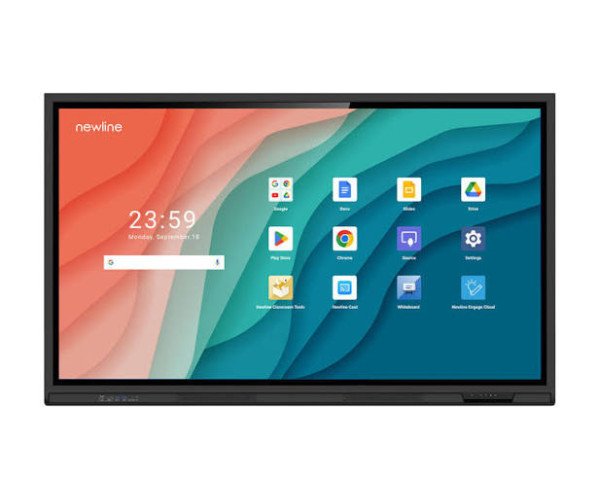
Overview of the Newline TT-6526S 65-Inch Android 16 EDLA 4K UHD Interactive Flat Panel Display
The Newline TT-6526S is a cutting-edge interactive flat panel display that combines advanced technology with user-friendly features. Priced competitively in Bangladesh, this 65-inch display is perfect for educational and corporate environments. With a stunning 4K UHD resolution of 3840 × 2160, it delivers exceptional clarity and detail. The display is designed to engage users with its interactive touch capabilities, making it an ideal choice for presentations, collaborative work, and educational purposes.
In Bangladesh, the demand for high-quality interactive displays is on the rise, especially in schools and businesses looking to enhance their communication and presentation methods. The Newline TT-6526S stands out with its robust specifications, including a powerful MediaTek MTK-G520 Octa-Core processor and 8GB of RAM, ensuring smooth operation even during demanding tasks. The display's sleek design and modern aesthetics make it a stylish addition to any room.
Newline TT-6526S in Bangladesh
In the context of Bangladesh, the Newline TT-6526S is a game-changer for educational institutions and corporate offices. As technology continues to evolve, the need for effective teaching and presentation tools becomes increasingly important. This interactive flat panel display not only meets but exceeds expectations with its high-resolution display and responsive touch technology.
Local buyers will appreciate the integrated Android 16 operating system, which provides access to a wide range of applications tailored for education and business use. Furthermore, the display supports Wi-Fi 6, ensuring fast and reliable connectivity, which is essential for seamless collaboration and online learning. With the growing trend of digital classrooms and remote work, investing in the Newline TT-6526S is a smart choice for those looking to stay ahead in the competitive landscape.
Newline TT-6526S Performance and Power
The performance of the Newline TT-6526S is driven by its MediaTek MTK-G520 Octa-Core processor, which features two high-performance Cortex-A78 cores and six efficient Cortex-A55 cores. This combination allows the display to handle multiple tasks effortlessly, making it suitable for both educational and corporate environments. The 8GB of RAM further enhances its multitasking capabilities, ensuring that users can run applications smoothly without lag.
When it comes to display quality, the 65-inch screen with a 178° viewing angle ensures that everyone in the room can enjoy clear visuals from any position. The 120Hz refresh rate contributes to a fluid viewing experience, making it ideal for fast-paced presentations and videos. With a brightness level of ≥400 cd/m², the display remains vibrant even in well-lit environments, making it perfect for classrooms and conference rooms.
Newline TT-6526S Best for
This interactive flat panel display is best suited for educators, corporate trainers, and business professionals who require an effective tool for presentations and collaborative work. Its interactive features make it particularly appealing to teachers looking to engage students in a dynamic learning environment. However, those who primarily need a standard monitor for basic tasks may find this display to be more advanced than necessary.
Detailed Analysis of Newline TT-6526S
- Display Type: LED-Backlit LCD + Provides vibrant colors and sharp images.
- Touch Technology: Infrared (IR), Zero Bonding + Ensures accurate touch response and durability.
- Storage: 128GB Total (64GB Internal + 64GB TF Card) + Ample space for applications and files.
- Bluetooth: Bluetooth 5.2 + Enables easy connection to various devices.
- USB Type-C: USB Type-C with 65W Power Delivery + Supports fast charging and data transfer.
- Audio Output: Audio Output Supported + Delivers clear sound for presentations.
- Camera Support: Optional Camera Support + Enhances video conferencing capabilities.
- Weight: 39 kg + Sturdy build ensures stability during use.
User Experience of the Newline TT-6526S
Using the Newline TT-6526S is a straightforward experience. The setup process is user-friendly, allowing users to get started quickly. The touch response time of 4ms ensures that interactions are smooth and immediate, which is crucial during presentations. Users have reported minimal heat generation during prolonged use, making it comfortable for extended sessions. The integrated Android OS provides access to a variety of applications, enhancing its functionality for both educational and corporate settings.
Benefits of the Newline TT-6526S
Owning the Newline TT-6526S offers numerous long-term advantages. Its high-resolution display enhances the quality of presentations, making information more accessible and engaging. The interactive touch capabilities foster collaboration and participation, particularly in educational environments. With regular software updates available through Android, users can enjoy new features and improvements over time. The robust build quality ensures longevity, making it a worthwhile investment for schools and businesses alike. Additionally, the integrated storage allows for easy access to files and applications, streamlining workflows.
Key Features of Newline TT-6526S
- Resolution: 3840 × 2160 = Stunning clarity for visuals.
- Viewing Angle: 178° = Consistent image quality from any position.
- RAM: 8GB = Smooth multitasking capabilities.
- Refresh Rate: 120Hz = Fluid motion for videos and presentations.
- Wi-Fi: Wi-Fi 6 = Faster internet connectivity for seamless streaming.
- Touch Points: Up to 50 Points = Supports multiple users simultaneously.
- Speaker Power: 2 × 20W = Clear audio for presentations.
- Power Supply: AC 100–240V = Compatible with various power sources.
Best Practices for Maintaining the Newline TT-6526S
To maintain the Newline TT-6526S, regular cleaning of the screen is essential to prevent dust and smudges from affecting visibility. Use a microfiber cloth and a gentle cleaning solution specifically designed for screens. In Bangladesh, humidity can be an issue, so it's advisable to keep the display in a climate-controlled environment to prevent moisture buildup. Additionally, ensure that the power supply is stable, as voltage fluctuations can impact performance. Regularly check for software updates to keep the operating system running smoothly.