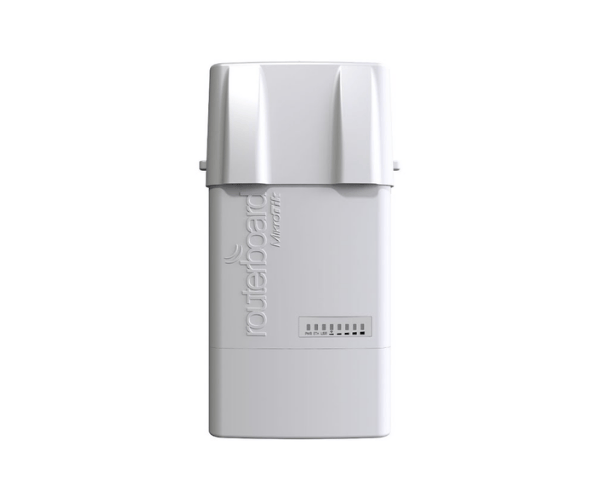
About the MikroTik BaseBox 5 Wireless Access Point
The Mikrotik BaseBox 5 Wireless Access Point is a wireless networking device for high-performance wireless connectivity outdoors. Through the 5GHz 802.11a/n Wi-Fi interface, the access point offers secure and quick internet connectivity irrespective of harsh environments. Weather-proof casing and universal mounting of the access point make outdoor installations flexible.
Mikrotik BaseBox 5 Wireless Access Point in Bangladesh
The MikroTik 5 Wireless Access Point is available in Bangladesh through official MikroTik distributors and online stores. It is advisable to purchase from authorized dealers for product authenticity and warranty issues.
User Experience of MikroTik BaseBox Wireless Access Point
Customers enjoy the MikroTik BaseBox 5 Wireless Access Point for delivering quality and stable wireless connection irrespective of bad outdoor conditions. Its ruggedness and stable performance make it an excellent top-rated wireless network extension solution for use outdoors.
Why Choose the MikroTik BaseBox 5 Access Point?
Selecting the MikroTik 5 Wireless Access Point ensures:
- Longevity: Durable in bad outdoor weather.
- High Performance: Supports data rate up to 300 Mbps for quick internet connectivity.
- Flexibility: Supports various modes of connection such as Ethernet, USB, and MiniPCI-e.
- Ease of Installation: Provides installation kits for different installation conditions.
- Cost-Effectiveness: Provides enterprise-level features at economic rates.
Key Features
- 5GHz Wireless Connectivity: Provides interference-free and quick wireless communication.
- Gigabit Ethernet Port: Provides quick wired connectivity.
- USB and MiniPCI-e Slots: Provides alternatives for additional connectivity or modem integration.
- Passive PoE Support: Facilitates simple power delivery using Ethernet cables.
- Broad Operating Temperature Range: Can be easily mounted in changing weather conditions.
- Outdoor Enclosure: Offers protection to internal components from dust and humidity.
How to Maintain of The MikroTik BaseBox Wireless Access Point?
To achieve best performance of the MikroTik BaseBox 5 Access Point:
- Regular Firmware Updates: Update the device firmware from time to time in order to provide new features and security updates.
- Check Antennas: Antennas should be properly connected and there should not be any defects in them.
- Monitor Performance: It can be monitored and debugged by utilizing MikroTik's RouterOS.
- Shield from Power Surges: Protect the device using surge protectors from power surges.
Installation Steps
- Unbox the Device: Unpack the package holding the MikroTik 5 Wireless Access Point and accessories.
- Select Installation Point: Choose a place outside where the device will have the maximum coverage and least exposed to direct sunlight and water.
- Install the Device: Install the device on pole or wall using the provided mounting kit.
- Power and Ethernet Connection: Provide power and network to the device using the provided PoE injector.
- Configure the Device: Utilize RouterOS to connect to the device's configuration and configure wireless settings, security settings, and network parameters.
- Test the Connection: Verify if the device is functioning well by checking the wireless and internet connection.
Where Can be used?
MikroTik BaseBox 5 Wireless Access Point is best utilized in:
- Outdoor Wi-Fi Hotspots: Internet in public outdoor areas.
- Point-to-Point Links: Wireless links between buildings or remote locations.
- Rural Internet Access: Internet connections to remote locations.
- Surveillance Systems: Wireless connection for outdoor CCTV cameras.
- Temporary Installations: Installation of temporary wireless networks for events and construction sites.