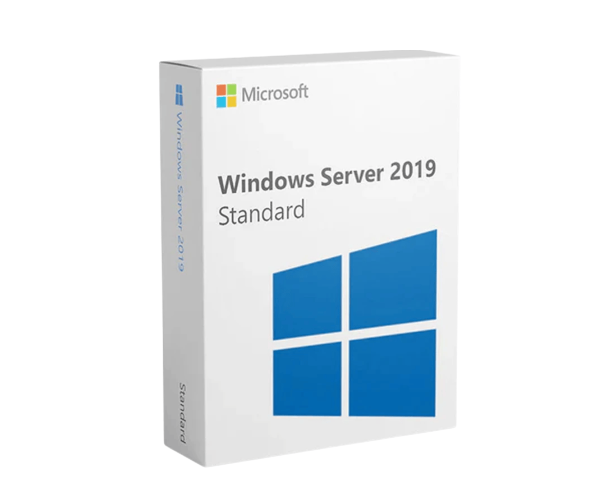
About Microsoft Windows Server 2019 Standard
IT infrastructure with the
Microsoft Windows Server 2019 Standard – Base License and Media – 16 Core. This robust and versatile software licensing solution is designed to meet the diverse needs of modern businesses, providing enhanced security, hybrid capabilities with Azure, and a flexible application platform. The Windows Server 2019 Standard is an ideal choice for companies looking to improve their IT operations, increase efficiency, and support future growth.
Specification
| Feature |
Description |
| Product Name |
Windows Server 2019 Standard – Base License and Media – 16 Core |
| Manufacturer Part Number |
BUN-P73-07788 |
| Product Type |
Software Licensing |
| Language Supported |
English |
| License Quantity |
16 Core |
| Distribution Media / Method |
DVD-ROM |
| License Pricing |
OEM |
| License Type |
License |
| Platform Supported |
PC |
| Software Name |
Windows Server 2019 Standard 64-bit |
Benefits of Microsoft Windows Server 2019 for Dell Server
- Enhanced Security: Protect your data and infrastructure with advanced multi-layer security features.
- Hybrid Capabilities with Azure: Seamlessly integrate with Azure for additional cloud functionality and efficiency.
- Flexible Application Platform: Modernize applications with containers and microservices.
- Efficient IT Management: Simplify the management of your IT environment with powerful tools and features.
- Improved Performance: Benefit from high-performance computing for demanding workloads.
How to Use this Microsoft Windows Server 2019 Standard
Microsoft Windows Server 2019 Standard is used to manage and support enterprise-level IT infrastructure. It enables secure data storage, virtualization, networking, and remote access. Install the OS, configure roles like Active Directory or DNS, and manage through Server Manager or PowerShell. Regular updates and backups help maintain performance and security.
Installation step for Microsoft Windows Server 2019 Standard
- Prepare Installation Media: Download the ISO file from Microsoft’s official site and create a bootable USB using tools like Rufus.
- Boot from USB: Insert the USB into your server, restart it, and boot from the USB (change boot order in BIOS if needed).
- Start Installation: When prompted, choose your language, time, and keyboard settings. Click "Next" and then "Install Now".
- Enter Product Key: Enter your license key for Windows Server 2019 Standard.
- Select Edition: Choose Windows Server 2019 Standard (Desktop Experience) for a GUI interface, or the Core version for command-line only.
- Accept License Terms: Read and accept the license agreement.
- Choose Installation Type: Select "Custom: Install Windows only (advanced)" for a clean install.
- Partition the Drive: Select the target drive, delete any old partitions if necessary, and click "Next" to begin installation.
- Wait for Installation: Windows will copy files, install features, and reboot a few times.
- Set Administrator Password: After installation, set a strong password for the Administrator account.
- Login and Configure: Log in, open Server Manager, and begin setting up roles like Active Directory, DHCP, or file sharing as needed.
Microsoft Windows Server 2019 Standard Price in Bangladesh
Crystal Computers offers a wide range of computer accessories and Servers at the best prices in Bangladesh. We provide Dell-branded Servers including Microsoft
Windows Server Standard at the best price in Bangladesh. Call now for more information.