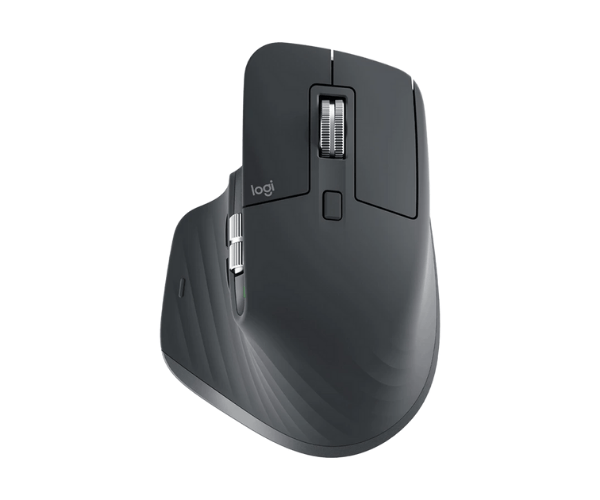
About of Logitech MX Master 3S Graphite Blue-Tooth Mouse
The Logitech MX Master 3S Graphite Bluetooth Mouse offers precision, comfort, and high performance. Featuring a quiet click, ergonomic design, and long battery life, it's perfect for professionals and creatives looking for efficiency in their daily tasks.
Logitech MX Master 3S Graphite Bluetooth Mouse in BD
Logitech's MX Master 3S Graphite Bluetooth Mouse is designed for a high level of performance to help get you through the workday. Professional, student, or creative—this mouse’s ergonomic design aims to please any hand that seeks ease and precision in scroll motion and days in battery life.
User Experience of Logitech MX Master 3S Graphite Bluetooth Mouse
Using the Logitech MX Master 3S Bluetooth Mouse is a real productivity booster. Nice to hear the quiet clicking sound instead of the loud click in shared spaces. The mouse hugs your palm in comfort with its ergonomic design. Easy access to shortcuts with customizable buttons, and with the Darkfield laser sensor, it works on any surface—yes, that includes glass! With a long battery life of up to 70 days on a single charge, the less-interrupted you may be to focus on tasks—to a professional, this is their daily driver for a mouse.
Why Choose The Logitech MX Master 3S Bluetooh Mouse ?
- Ergonomically Designed: The shape of the mouse is very much comfort-oriented for prolonged usage.
- Quiet Click: Perfect for scenarios where quiet is needed, one may work unworried of disturbing others.
- Long-lasting Battery for Up to 70 Days: Life of every charge can last for up to 70 days.
- Custom Buttons: Shortcuts can be assigned to enhance productivity.
- Multi-device Compatibility: Supports Windows, macOS, Linux, and iPadOS.
- High Precision: Darkfield laser sensor gives accuracy on virtually any surface.
Installation Process
- Unpack the Logitech MX Master 3S Graphite Mouse with care.
- Insert the USB receiver into your computer's USB port. Alternatively, enable Bluetooth on your device.
- Turn ON the mouse using the power button at the bottom.
- Either pair to your computer via Bluetooth or use the USB receiver to connect the mouse.
- (Optional) Install Logitech Options Software for added advanced customization options.
- Start using your Logitech MX Master 3S Bluetooth Mouse.