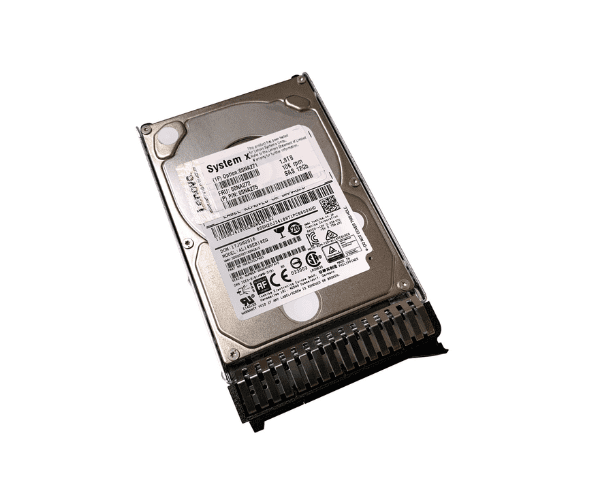
Buy the Lenovo 00NA271 1.8TB 10K SAS Hard Drive at the Best Price in Bangladesh
Lenovo 00NA271 1.8TB 10K SAS Hard Drive is a robust and high-performance storage solution tailored for enterprise environments where speed and reliability are paramount. With a substantial capacity and fast access speeds, this hard drive is ideal for handling demanding workloads and large datasets. Key features include:
- Generous Capacity: Offering 1.8TB of storage, the Lenovo 00NA271 provides ample space for extensive data and critical applications.
- High-Speed Performance: Operating at 10,000 RPM, it ensures rapid data retrieval and improved system responsiveness.
- SAS Interface: The Serial Attached SCSI (SAS) interface offers high-speed data transfer with reliable performance and low latency.
- Durable Construction: Built to handle intense workloads, this hard drive is designed for long-term reliability and consistent performance.
User Experience
Users of the
Lenovo 00NA271 1.8TB 10K SAS Hard Drive frequently commend its high-speed data access and reliability. The 10,000 RPM speed delivers quick data retrieval times, enhancing the performance of applications and overall system efficiency. The SAS interface ensures stable and fast data transfers, making it a preferred choice for high-demand environments such as data centers and enterprise servers.
Why Choose Lenovo 00NA271 1.8TB 10K SAS Hard Drive?
Selecting the
Lenovo 00NA271 1.8TB 10K SAS Hard Drive means investing in a high-performance storage solution that excels in both capacity and speed. This hard drive is particularly beneficial for:
- Enhanced Performance: The 10K RPM speed ensures fast data access and system responsiveness, crucial for high-performance applications.
- Large Storage Needs: With 1.8TB of storage, it provides ample space for substantial data and critical business applications.
- Reliable Operation: The SAS interface offers dependable and efficient data transfer, making it suitable for demanding enterprise workloads.
Installation Steps:
- Power Down the System: Power off.
- Locate the Drive Bay: Open the server chassis or storage enclosure and find an available drive bay.
- Insert the Drive: Carefully insert the Lenovo 00NA271 1.8TB 10 K SAS Hard Drive into the bay.
- Secure the Drive: Use screws or brackets to secure the drive, depending on your enclosure's design.
- Connect the SAS Cable: Attach the SAS cable to the drive, ensuring it is firmly connected.
- Power Up and Configure: Reconnect the power, start the system, and configure the drive using your system’s BIOS or RAID controller.
Where It Can Be Used:
The
Lenovo 00NA271 1.8TB 10 K SAS Hard Drive is suitable for:
- Enterprise Servers: Boosting performance for applications and databases that require fast and reliable data access.
- Data Centers: Managing large volumes of data efficiently with high-speed performance.
- Virtualized Environments: Supporting virtual machines with fast and consistent data retrieval.
FAQs:
Q: Is the Lenovo 00NA271 1.8TB 10 K SAS Hard Drive compatible with all servers?
A: The hard drive is compatible with servers that support SAS interfaces. Please verify your server's specifications to ensure compatibility.
Q: How can I monitor the health of the Lenovo 00NA271 1.8TB 10 K SAS Hard Drive?
A: Utilize your server’s management tools to monitor the drive’s health, including temperature, error rates, and overall performance.