About the Kingston SEDC600ME/3840G DC600M 3.84 TB 2.5” SATA Enterprise SSD
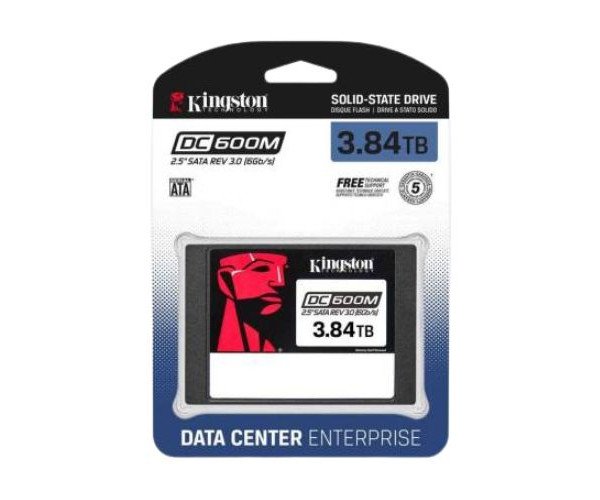
The Kingston SEDC600ME/3840G DC600M 3.84TB 2.5” SATA Enterprise SSD is a high-performance storage solution designed for data centers. It ensures fast data access, high endurance, and consistent performance, making it perfect for server workloads and 24/7 environments.
Kingston SEDC600ME/3840G DC600M 3.84TB 2.5” SATA Enterprise SSD in BD
Designed for extreme workloads, the Kingston SEDC600ME/3840G DC600M 3.84TB 2.5" SATA Enterprise Solid State Drive is intended for servers and data centers. It provides solid read/write speed, AES 256-bit encryption, and power-loss protection to ensure that the data remains accessible and safe during power fail and peak load.
User Experience
The Kingston SEDC600ME/3840G DC600M 3.84TB 2.5" SATA Enterprise SSD has proven to be quite stable and smooth in operation. The consistency and speed of this unit during large file transfers and mixed workloads remain memorable. From database management or virtualization to real-time applications, it runs fast and responsive across the board. User reports indicate less lag from systems and faster boot times; reassuring with the encryption and power-loss protection, especially useful in enterprise setups. Overall, the SSD does well to meet modern server requirements, proving itself in long-term value against far faster HDD solutions.
Why Choose the Kingston SEDC600ME/3840G DC600M 3.84TB 2.5” SATA Enterprise SSD?
Perfect for server or data center manager involved with data-hogging applications is
Kingston SEDC600ME/3840G DC600M 3.84TB SATA Enterprise SSD. The great endurance and the enterprise grade reliability are the most important treats in its favor. Unlike consumer SSDs, this 3.84TB SSD can be used continually during the seven days of the week without any decrease in speed performance. It comes with AES 256-bit encryption, so all kept data are secure. This drive also has the ability to prevent power losses that may delete data at emergencies. It is made to function along with the demanding systems with read rates up to 560MB/s. Fast, tough, and safe storage- this SSD ensures it all.
Installation Steps
- Power Down the System: Turn off the server or computer and disconnect the power source.
- Open the Enclosure: Take off the side panel or drive bay cover.
- Insert the SSD: Slot the Kingston SEDC600ME/3840G DC600M in the 2.5" bay.
- Connect Cables: Connect the SATA data and power cables.
- Secure the Drive: Fix the SSD in place by screwing it down.
- Close the Enclosure: Replace the panel or cover.
- Boot the System: Power it on and enter BIOS to check detection of the SSD.
- Format the Drive: Format it with either Disk Management (Windows) or Disk Utility (Mac/Linux).
- Ready for Use: The drive is ready for installation and file transfer functionality.


-70x60h.png "Kingston 1TB M.2 2280 PCIe Gen 4×4 NVMe SSD (SNV2S)")


mm-Wall-Mount-Rack-With-PDU---Cooling-Fans-70x60h.png "Cote GCW-6609 9U (600x600)mm Wall Mount Rack With PDU & Cooling Fans")