About the Kingston SEDC3000ME/7T6 DC3000ME 7.68 TB PCIe 5.0 NVMe U.2 SSD
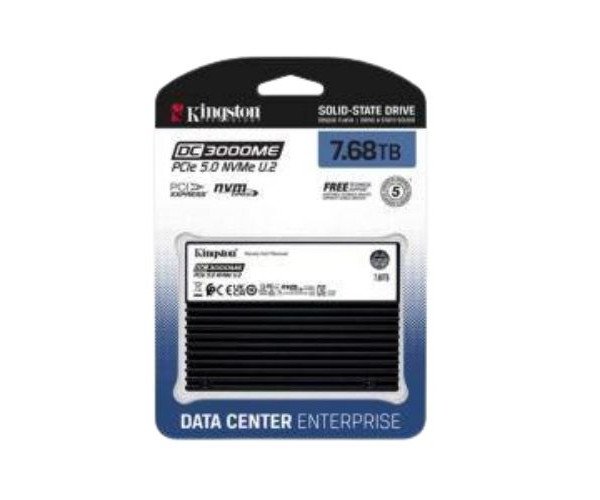
The Kingston SEDC3000ME/7T6 DC3000ME 7.68TB PCIe 5.0 NVMe U.2 SSD delivers high-speed storage for data centers. Built for heavy workloads, this SSD offers fast performance, large capacity, and consistent reliability—perfect for enterprise-grade systems needing maximum uptime and efficiency.
Kingston SEDC3000ME/7T6 DC3000ME 7.68TB PCIe 5.0 NVMe U.2 SSD in BD
The Kingston SEDC3000ME/7T6 DC3000ME 7.68TB PCIe 5.0 NVMe U.2 Solid State Drive is a high-capacity enterprise SSD built for serious data needs. With ultra-fast PCIe 5.0 speed and sturdy construction, it is suitable for high data, server, virtualization, and workloads that require sustained high performance and reliability.
User Experience
The Kingston SEDC3000ME/7T6 DC3000ME 7.68TB PCIe 5.0 NVMe U.2 SSD allows users to perform smooth systems operations with rapid data access under heavy-duty situations. Either it be databases or running VMs and backups, the performance has remained stable, with no performance dips. Concern about storage is history now as the enormous 7.68TB takes care of it. Installation is easy, it stays cool, and it protects from power loss using built-in means. This SSD has become a long-standing choice among IT professionals in terms of storage systems who do not want to compromise speed or reliability, especially in large-scale company environments.
Why Choose the Kingston SEDC3000ME/7T6 DC3000ME 7.68 TB PCIe NVMe U.2 SSD?
The
Kingston SEDC3000ME/7T6 DC3000ME 7.68TB PCIe 5.0 NVMe SSD is about speed, build quality, and serious capacity. Next-generation PCIe 5.0 builds in read speeds of up to 7,000 MB/s. The huge 7.68TB capacity gives reach for future use. As this SSD is meant for enterprise solutions, it comes with very high endurance and a long life span. This is a sound choice for data centers and businesses that demand faster, dependable storage daily, partly due to Kingston's reputation for creating reliable and affordable drives.
Installation Steps
- Switch off System – This means turn off the server or system completely.
- Find the U.2 Slot – Locate the U.2 NVMe-compatible slot on your motherboard or expansion card.
- Insert SSD – Insert the Kingston SEDC3000ME/7T6 7.68TB PCIe 5.0 NVMe U.2 SSD carefully into the slot.
- Secure SSD – Secure the SSD via screw or whatever means are necessary to ensure that the SSD does not move in any manner.
- Reconnect Power – Now switch on the system and enter BIOS to check if it detects the drive.
- Format and Partition – Format and partition the SSD using Disk Management (for Windows) or the equivalent for any other OS.
- Ready for Use – Start using your new high-speed storage!


-70x60h.png "Kingston 1TB M.2 2280 PCIe Gen 4×4 NVMe SSD (SNV2S)")


-70x60h.png "Supermicro PWS-1K22A-1R Power Supply 800W/1200W Redundant Single Output")
mm-Wall-Mount-Rack-With-PDU---Cooling-Fans-70x60h.png "Cote GCW-6609 9U (600x600)mm Wall Mount Rack With PDU & Cooling Fans")