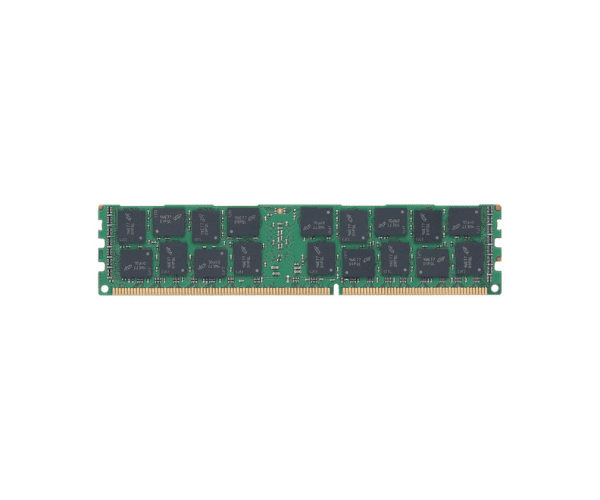
About the Kingston 16GB 715284-001 PC3L-12800R 2Rx4 Server Memory
The Kingston 16GB 715284-001 PC3L-12800R 2Rx4 Server Memory is a high-quality DDR3 module designed to enhance server performance. With 16GB capacity and 1600 MT/s speed, it ensures efficient data processing and system reliability for various server applications.
Specification
| Feature |
Description |
| Capacity |
16GB |
| Type |
DDR3 |
| Speed |
PC3L-12800R (1600 MT/s) |
| Configuration |
2Rx4 |
| Form Factor |
DIMM |
| Voltage |
1.35V |
| Error Correction |
ECC (Error-Correcting Code) |
| Compatibility |
Compatible with various server models |
| Manufacturer |
Kingston |
Description
The Kingston 16GB 715284-001 PC3L-12800R 2Rx4 Server Memory is designed to deliver superior performance and reliability for server environments. With a substantial 16GB capacity and a speed of 1600 MT/s, this DDR3 memory module ensures quick and efficient data handling, enhancing overall server performance. The 2Rx4 configuration and ECC (Error-Correcting Code) feature provide robust data integrity and reduce the risk of data corruption, making it ideal for critical applications. Operating at a low voltage of 1.35V, it also promotes energy efficiency without compromising performance. The Kingston 16GB 715284-001 PC3L-12800R is an excellent choice for upgrading your server's memory.
User Experience
Users of the Kingston 16GB 715284-001 PC3L-12800R Server Memory report significant improvements in server speed and reliability. The module is easy to install and consistently provides stable and fast performance, making it a preferred choice for server upgrades.
Installation Steps
- Power Down the Server: Ensure the server is completely shut down and unplugged.
- Open the Server Case: Remove screws or latches to access internal components.
- Locate the Memory Slots: Identify the memory slots on the motherboard.
- Insert the Memory Module: Align the notch on the Kingston 16GB 715284-001 PC3L-12800R Server Memory with the slot and press it firmly until it clicks into place.
- Secure and Close: Verify the module is properly seated, close the case, and reconnect the power.