About of Intel SSDSC2BB800G7R 800 GB SATA Solid State Drive
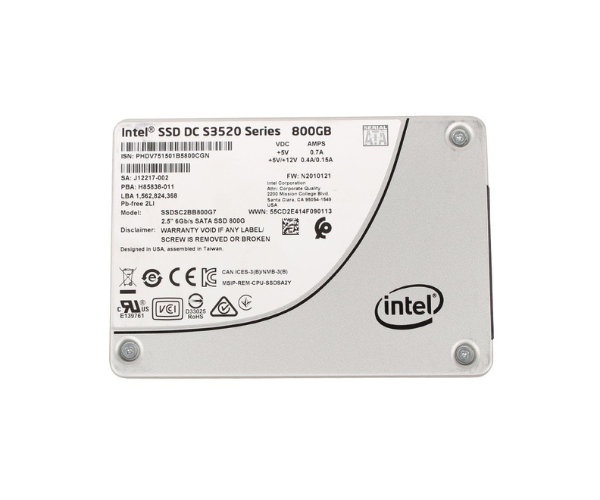
The Intel SSDSC2BB800G7R 800GB SATA Solid State Drive offers reliable, fast storage performance with an 800GB capacity. Its advanced technology ensures quick data access, improved boot times, and enhanced durability. This SSD is an ideal upgrade for both professional and personal use.
Intel SSDSC2BB800G7R 800GB SATA Solid State Drive in BD
The Intel SSDSC2BB800G7R 800 GB SATA Solid State Drive is designed for high-performance, with quick speeds and improved reliability. With a storage capacity of 800GB, this SSD is ideal for those looking to improve the speed and responsiveness of their computers. Whether gaming, working, or dealing with large files, this drive provides smooth performance.
User Experience:
The Intel SSDSC2BB800G7R 800GB SATA SSD is an excellent user experience, complete with blazing performance and secure management of data. The user gets faster boot-ups, rapid file transfer, and overall better performance. The storage capacity of 800GB is well in excess of average use and even extreme use, and it's an easy choice for both personal and professional use. The new 3D NAND technology delivers improved endurance, and the power loss protection is a safeguard against unexpected power loss. Overall, the Intel SSDSC2BB800G7R SSD is an all-around and effective means of upgrading your computer storage.
Why Choose the Intel SSDSC2BB800G7R 800GB SATA Solid State Drive?
The Intel SSDSC2BB800G7R 800GB SATA SSD is perfect for its speed, capacity, and reliability. With read/write speeds of up to 560 MB/s and 500 MB/s respectively, it offers a speedy computing experience for light use and heavy professional alike. Its power loss protection ensures your data safety even in the event of unexpected power loss. With an 800GB capacity, it has sufficient space for programs, files, and multimedia, making it suitable for multitaskers. This drive's longevity requires no compromise due to the 3D NAND technology, and hence, it is a good investment for anyone looking for a long-lasting device.
Installation Step:
- Backup Data: Make sure all necessary files are backed up before installing your new Intel SSDSC2BB800G7R 800GB SSD.
- Power Off & Open PC Case:
- Shut down your PC and disconnect it. Open the PC case to get to the hard drive bay.
- Connect SATA Cables: Hook up the SATA data and power cables from the motherboard and power supply to the Intel SSDSC2BB800G7R 800GB SSD.
- Install SSD in the Drive Bay: Screw or mount the SSD into the drive bay.
- Power On the System: Shut the case and power your system.
- Initialize SSD: Once your system has booted, you may need to initialize the SSD with your operating system's disk management software.
- Install Operating System or Files: If this is your boot drive, install your operating system. Otherwise, use it as additional storage.



-70x60h.png "Intel 1.92TB S4520 SATA SSD (SSDSC2KB019TZ01)")


