About of Intel SSDSA2CW120G3 320 Series 120 GB SATA Solid State Drive
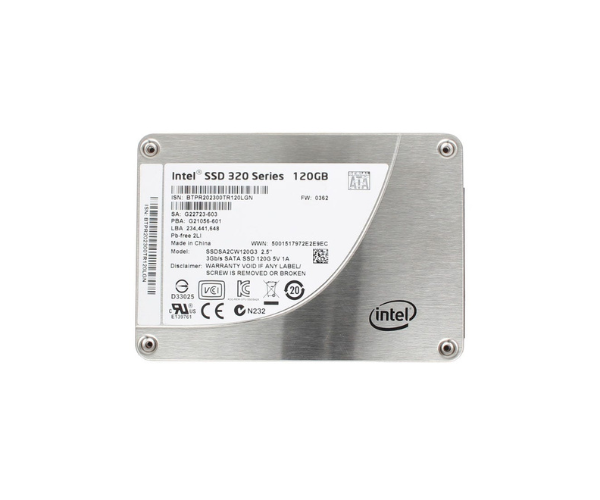
The Intel SSDSA2CW120G3 320 Series 120GB Solid State Drive SATA gives your PC fast performance, reliable storage, and quicker startup. Designed for everyday computing, it improves system responsiveness with low power use, perfect for desktops or laptops needing a simple upgrade.
Intel SSDSA2CW120G3 320 Series 120GB Solid State Drive SATA in BD
The Intel SSDSA2CW120G3 320 Series 120GB Solid Drive SATA is built to boost the speed of your PC. It offers better data access, faster boot-up, and reliable file transfers. This SSD is a smart and budget-friendly choice for upgrading old hard drives to modern solid-state technology.
User Experience
Users who installed the Intel SSDSA2CW120G3 320 120GB SATA Solid State Drive noticed a major performance boost. Boot times dropped to seconds, applications opened instantly, and multitasking became smoother. Whether you're watching videos, browsing, or handling documents, everything feels quicker. The SSD runs quietly and generates less heat, so laptops stay cool and power-efficient. Data access is fast and reliable, with no lag or freezing. Users appreciate the simple plug-and-play experience and the peace of mind that comes with Intel’s quality. It's a great upgrade for everyday use.
Why Choose the Intel SSDSA2CW120G3 320 Series 120 GB Solid State Drive SATA
Choosing the Intel SSDSA2CW120G3 320 Series 120GB Solid State Drive SATA means choosing reliability and speed. It’s backed by Intel’s engineering, known for stable performance and data safety. With faster read/write speeds and power efficiency, it improves your computing experience. It’s ideal for home users, students, and office systems. Whether upgrading from an old hard drive or building a basic system, this SSD is a smart pick. The Intel SSDSA2CW120G3 320 Series 120GB Solid State Drive makes any slow system feel like new again, giving you speed where it matters most.
Installation Steps
-
Backup your data – Always save important files before installing any new drive.
-
Turn off your computer – Unplug it from the power source.
-
Open the case or back panel – Access the drive bay.
-
Remove the old drive (if needed) – Unplug and unscrew the current storage.
-
Install the SSD – Place the Intel SSDSA2CW120G3 320 Series 120GB Solid State Drive in the 2.5-inch bay.
-
Connect SATA cable and power – Ensure both connections are secure.
-
Close the case – Secure the panel or case back on.
-
Boot into BIOS – Make sure your system detects the new SSD.
-
Install or clone the OS – Use software to install or copy your existing operating system.
-
Enjoy the speed – Experience your new, faster system!



-70x60h.png "Intel 1.92TB S4520 SATA SSD (SSDSC2KB019TZ01)")


