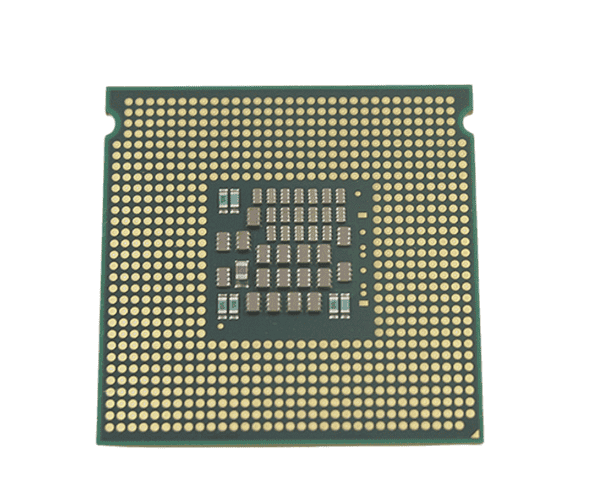
Introduction of Intel SLAC8 Xeon E5320 1.86GHz 8MB 1066MHz FSB Quad-Core CPU
The
Intel SLAC8 Xeon E5320 1.86GHz 8MB 1066MHz FSB Quad-Core CPU is engineered for performance and efficiency. This powerful processor caters to users who require reliable computing capabilities for various applications. Whether you're running a server, a workstation, or handling complex tasks, the Intel SLAC8 Xeon E5320 is designed to meet those demands seamlessly. With its advanced architecture, this CPU enhances multitasking and overall system performance, making it a popular choice for professionals and businesses alike.
Why Opt Intel SLAC8 Xeon E5320 1.86GHz 8MB 1066MHz FSB Quad-Core CPU?
Choosing the
Intel SLAC8 Xeon E5320 means investing in a processor that offers excellent performance at an affordable price. Its quad-core architecture allows for efficient multitasking, making it suitable for various applications. This processor is particularly effective for handling server tasks and heavy workloads, ensuring you can run multiple applications without a hitch. With an impressive 8MB cache and a 1066MHz front-side bus, the
Intel SLAC8 Xeon E5320 ensures quick data access and improved processing speeds. Opt for this CPU to elevate your computing experience.
User Experience
Users report that the
Intel SLAC8 Xeon E5320 provides a noticeable performance boost in their systems. Whether in server environments or personal workstations, the processor delivers consistent results. Many appreciate its ability to handle demanding applications smoothly, allowing for efficient workflow. Additionally, its reliable operation and energy efficiency make it a smart choice for users concerned about power consumption. Overall, the Intel SLAC8 Xeon E5320 enhances productivity while maintaining low operational costs.
Detailed Breakdown of Features
The
Intel SLAC8 Xeon E5320 features a quad-core design, enabling it to execute multiple tasks simultaneously. This makes it ideal for environments where various applications need to run at once. Its clock speed of 1.86GHz ensures a solid performance across different tasks, while the 8MB cache allows for quicker access to frequently used data. The 1066MHz front-side bus improves communication between the processor and other components, enhancing overall system efficiency. With its 80W thermal design power, the processor maintains an optimal temperature, ensuring stability during intensive operations. Its 64-bit architecture supports modern operating systems and applications, making the
Intel SLAC8 Xeon E5320 a versatile choice for both home and professional setups.
Installation Steps
- Power Off the Computer: Ensure your computer is completely powered off and all cables are disconnected for safety.
- Remove the Computer Case: Take off the cover of the computer case to access the internal components.
- Identify the CPU Socket: Locate the CPU socket on the motherboard where the Intel SLAC8 Xeon E5320 will be installed.
- Prepare the New Processor: Carefully unpack the Intel SLAC8 Xeon E5320, handling it by the edges to avoid damaging the pins.
- Align the Processor: Align the pins of the Intel SLAC8 Xeon E5320 with the corresponding slots in the CPU socket.
- Install the Processor: Gently lower the processor into the socket, ensuring it fits securely.
- Secure the Processor: Lock the processor into place according to your motherboard’s specifications.
- Close the Computer Case: Replace the computer case cover and ensure it is properly secured.
- Reconnect All Cables: Reattach all cables and peripherals that were disconnected earlier.
- Power On the Computer: Turn on your computer and verify that it boots up correctly, indicating a successful installation.
Where It Can Be Used?
The
Dell SLAC8 Xeon E5320 is suitable for a variety of applications. It excels in server environments, handling multiple user requests and data processing tasks. This processor is also ideal for workstations running demanding applications, such as graphic design, data analysis, and virtualization. Additionally, it can be used in small to medium-sized businesses requiring reliable computing power without significant investment.