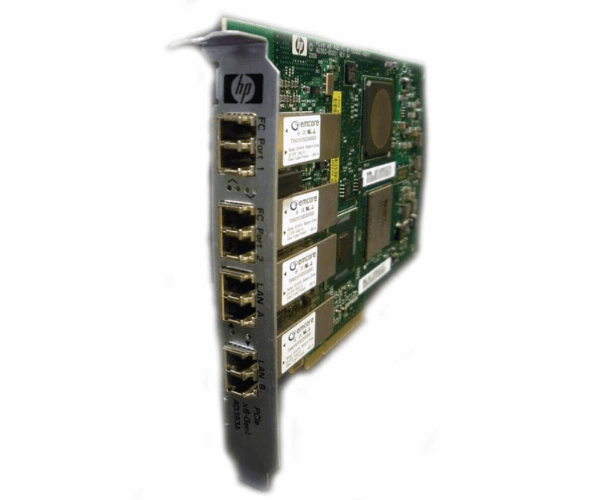
HPE AD393A Integrity 2-Port 4Gb FC & 2-port 1000Base-SX PCIe Adapter
The HPE AD393A Integrity 2-Port 4Gb FC & 2-Port 1000Base-SX PCIe Adapter enhances your HP Integrity servers by providing dual-port Fibre Channel and dual-port Ethernet connectivity. Designed for high-performance environments, this adapter ensures reliable and fast data transfers and network connections, boosting overall server efficiency.
User Experience
The HPE AD393A Integrity 2Port 4Gb FC & 2Port 1000Base-SX PCIe Adapter is highly praised by users for its robust performance and seamless integration with HP Integrity servers. Users appreciate the increased flexibility and efficiency it provides, with its dual-port Fibre Channel and Ethernet capabilities enabling reliable and high-speed data transfers. The adapter's installation is straightforward, and it significantly enhances network and storage performance, making it a reliable choice for demanding applications.
Why Choose the HPE AD393A Integrity Dual Port 4Gb FC & Dual Port 1000Base-SX PCIe Adapter?
The
HPE AD393A Integrity 2Port 4Gb FC & 2Port 1000Base-SX PCIe Adapter is a superior choice for those seeking high-speed connectivity solutions. It combines two 4Gb Fibre Channel ports and two 1000Base-SX Ethernet ports, providing comprehensive connectivity for both network and storage needs. Its compatibility with HP Integrity servers, coupled with its easy installation process, makes it an excellent investment for improving server performance and handling high-demand applications.
Key Features
- Dual-Port Functionality: Offers two 4Gb Fibre Channel ports and two 1000Base-SX Ethernet ports for versatile and high-speed connectivity.
- High-Speed Performance: Supports up to 4Gbps for Fibre Channel and 1Gbps for Ethernet, ensuring efficient data transfers and network operations.
- PCIe Interface: Designed to work seamlessly with HP Integrity servers and modern systems.
- Low-Profile Form Factor: Fits into standard server slots, optimizing space and performance.
- Reliable Integration: Easily integrates with HP Integrity servers, enhancing overall system performance and reliability.
Installation Steps
- Preparation: Turn off the server and disconnect all power sources. Gather the HPE AD393A Integrity 2Port 4Gb FC & 2Port 1000Base-SX PCIe Adapter and any necessary tools.
- Open the Server Case: Follow the manufacturer's instructions to remove the server case panel.
- Locate the PCIe Slot: Identify an available PCIe slot on the server’s motherboard.
- Insert the Adapter: Carefully insert the HPE AD393A Integrity 2Port 4Gb FC & Dual Port 1000Base-SX PCIe Adapter into the PCIe slot, ensuring it is securely seated.
- Secure the Adapter: Use screws or other fastening mechanisms to hold the adapter in place.
- Connect Cables: Attach the required Fibre Channel and Ethernet cables to the adapter’s ports.
- Close the Server Case: Reattach the server panel or screws to secure the case.
- Reconnect Power: Plug the server back into power and turn it on.
- Install Drivers: Install any necessary drivers or software for the HPE AD393A Integrity 2Port 4Gb FC & 2Port 1000Base-SX PCIe Adapter as per the manufacturer’s instructions.
- Verify Operation: Check that the adapter is recognized by the system and perform tests to ensure it operates correctly.