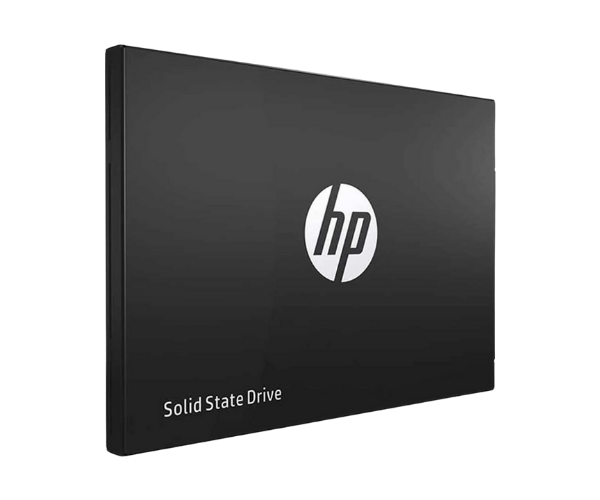
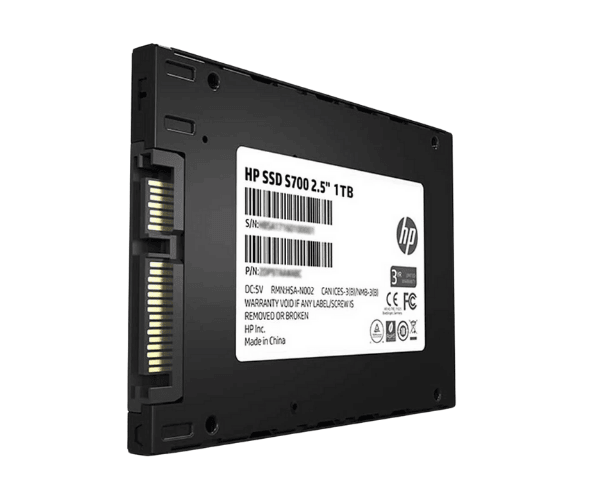
About of HP S700 1 TB SATAIII SSD
The
HP S700 1TB SATAIII SSD delivers fast storage with reliable performance, ideal for upgrading your system’s storage capacity and speed. With advanced technology, it ensures faster boot times and quicker file transfers.
Specification
| Brand |
HP |
| Model |
HP S700 |
| Type |
SATAIII SSD |
| Storage |
1TB |
| Form Factor |
2.5 Inch |
| Interface Mode |
SATA |
| Interface(s) |
SATA 6.0 Gb/s |
| PCIe/NVMe Gen |
Not Applicable |
| Read Speed (Max.) |
561MB/s |
| Write Speed (Max.) |
523MB/s |
| Power Consumption |
Approx. 15W |
| Color |
Black |
| Dimensions |
7.00 x 69.80 x 100.20mm |
| Weight |
80 gm |
Description
HP S700 1TB SATAIII SSD in BD
The HP S700 1TB SATAIII SSD provides even faster storage than its predecessor in order to get your device ultra-smoothly smooth, with a capacity of 1TB. With the power of 3D NAND technology and superior endurance, it is an instant solution for all users who seek balance with speed, capacity, and reliability. It is ideal for gaming, professional, or any user looking to give their system an upgrade.
User Experience
Users will enjoy an obvious speed gain with the HP S700 1-TB SATAIII SSD, whether it is fast booting up times or seamless file transfers. Installation of the SSD is fast and thus hassle-free to integrate with most systems. Be it gaming, handling large files, or even multitasking, this product will help you enjoy faster load times and smooth performance. The HP S700 has a very good level of reliability due to advanced 3D NAND technology, which will give more peace of mind for its durability.
Why Choose the HP S700 1TB SATAIII SSD?
- It has a read speed up to 560 MB/s and a write speed up to 540 MB/s.
- It comes with 3D NAND flash with better sturdiness and higher endurance.
- It provides adequate storage to store massive files, games, and media without any issue.
- It supports tons of systems and hassle-free to upgrade your machine by putting this in.
- Value for Money: It offers pretty good performance at a consumer-friendly price.
Installation Steps
- Power Off Your System: First of all, power off your system.
- Remove the Existing Storage Drive: Unscrew the screw and then gently remove the existing storage drive.
- Insert the HP S700 SSD: Carefully attach the SSD to the SATA connector in your device.
- Screw the Drive into Place: Use screws and screw it in a place.
- Power On Your System: Boot your system up and verify if the SSD is detected.
- Install Drivers as Required: If it is instructed in the manual, install drivers accodingly.
- Disk Formatting: In order to format the SSD in case of necessity, open the disk management tool on your systems.
- Start Using SSD: At last, you can experience the HP S700 1TB SSD's much faster storage speed.
What is the Price of the HP S700 1TB SATAIII SSD in Bangladesh?
The latest price of
HP S700 1TB SATAIII SSD in Bangladesh depends on quantity.
Crystal Vision Solutions ensure This product has the best market price in Bangladesh. Our product is 100% original and lowest price in Bangladesh. All kinds of services are the best in Bangladesh, and contact us for any information and latest price.