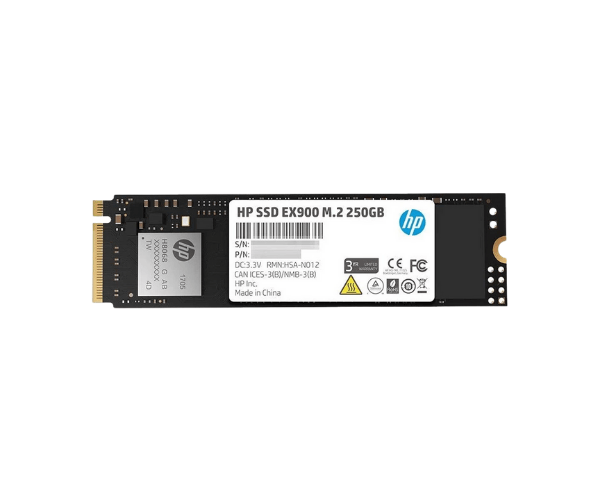
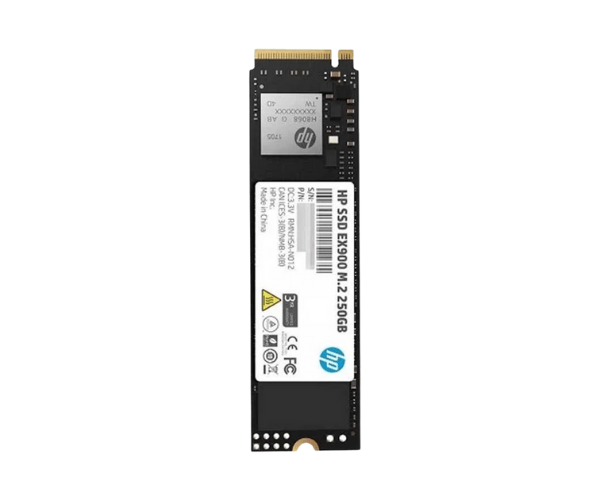
About of HP EX900 250 GB M.2 2280 PCIe NVMe SSD
The HP EX900 250GB M.2 2280 PCIe NVMe SSD delivers peak performance for storage requirements at blistering speeds of capacity up to 250 GB. With greatly improved read/write performance, this drive will provide very good performance, much lower latency, and strong reliability for fitting high-level performance in gaming, high-value creations, or just about anything.
Specification
| Feature |
Details |
| Brand |
HP |
| Model |
HP EX900 250GB |
| Type |
Internal SSD |
| Storage |
250GB |
| Form Factor |
M.2 2280 |
| Interface Mode |
NVMe |
| Interface(s) |
PCI Express 3.0 x4 NVMe 1.3 |
| PCIe/NVMe Gen |
Gen3 |
| Read Speed (Max.) |
2100MB/s |
| Write Speed (Max.) |
1100MB/s |
| Power Consumption |
Approx. 15W |
| Color |
Black |
| Dimensions |
22 x 2.40 x 80mm |
| Weight |
5.4 gm |
Description
HP EX900 250 GB M.2 2280 PCIe NVMe SSD in BD
The HP EX900 250GB M.2 2280 PCIe NVMe SSD is specially designed for computer users seeking more speed and reliability. It sports a PCIe Gen 3.0 x4 NVMe interface to help increase total performance when gaming and video editing and multitasking.
User Experience
Once HP EX900 250GB M.2 2280 NVMe SSD is installed, this provides more response within the computer. It's giving a good performance boost right from booting up to loading massive applications and transferring files. The sequential read and write speeds go as high as 2100MB/s and 1600MB/s, respectively, with the new PCIe 3.0 interface. In practical, real-life use, the HP EX900 series is reliable and assures high performance to fit gamers, content creators, pros; noise-free, hence with low power consumption, thereby offering smooth user experiences with faster system performance.
Why Choose the HP EX900 250GB M.2 2280 PCIe NVMe SSD?
- High sequential read and write speeds of up to 2100 MB/s and 1600 MB/s, respectively.
- 250GB capacity, store games, applications, and media files in it.
- PCIe Gen 3.0 x4 NVMe, along with fast performance and low latency.
- This is the best replacement for a laptop and desktop with an M.2 2280 slot.
- Low power consumption for energy efficiency and prolonging battery life on laptops.
- Highly reliable and durable, MTTF: 1.5 million hours.
How to Install
- Preparing the System: Shut down the computer and unplug the power supply to the computer.
- Locate M.2 slot: Open up your computer casing and locate the M.2 2280 slots on your motherboard.
- Install the HP EX900 SSD: Align the connector of the SSD to the M.2, then insert it at an angle.
- Fasten the SSD to the motherboard using a screw.
- Reconnect your computer case and reconnect the power cable.
- Boot up your system; get into BIOS for the confirmation of the recognition of an SSD.
- Install drivers if necessary: Download and install the latest drivers from HP's website to ensure optimum performance.
What is the Price of the HP EX900 250GB M.2 2280 NVMe SSD in Bangladesh?
The latest price of
HP EX900 250GB M.2 2280 PCIe NVMe SSD in Bangladesh depends on quantity.
Crystal Vision Solutions ensure This product has the best market price in Bangladesh. Our product is 100% original and lowest price in Bangladesh. All kinds of services are the best in Bangladesh, and contact us for any information and latest price.