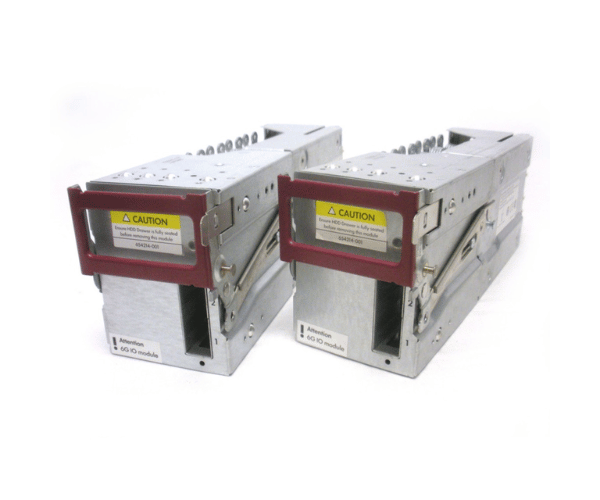
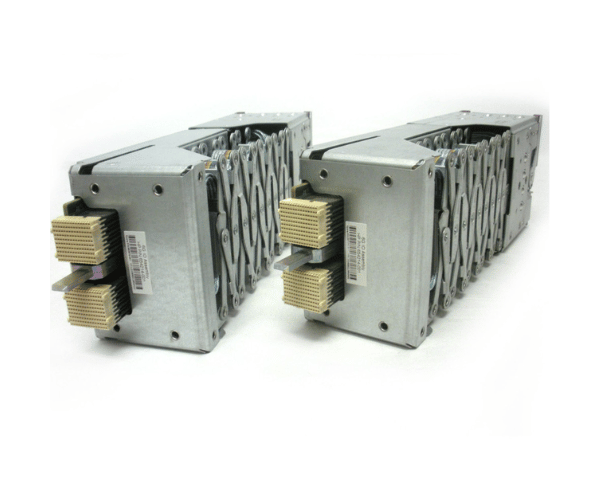
HP QQ696A D6000 Dual 6G SAS I/O Module Kit
The
HP QQ696A D6000 Dual 6G SAS I/O Module Kit 654214-001 is a high-performance I/O module designed to enhance connectivity and data throughput for HP D6000 storage systems. This dual 6G SAS module provides reliable, high-speed connections, making it essential for maximizing storage efficiency and performance.
User Experience
Users of the
HP QQ696A D6000 Dual 6G SAS I/O Module Kits 654214-001 report significant improvements in storage performance and reliability. The dual 6G SAS I/O module integrates seamlessly with HP D6000 storage systems, providing stable and high-speed data transfers. The module’s design ensures minimal downtime and easy integration, contributing to overall system efficiency.
Why Choose the HP QQ696A D6000 Dual 6G SAS I/O Module Kits 654214-001?
The
HP QQ696A D6000 Two 6G SAS I/O Module Kit 654214-001 is the optimal choice for enhancing the connectivity and performance of your HP D6000 storage system. Its dual 6G SAS capability ensures high-speed data transfers, making it an essential upgrade for demanding storage environments. Choosing the
HP QQ696A D6000 Two 6G SAS I/O Module Kit means investing in reliability and performance, enhancing your overall storage infrastructure.
Key Features
- High-Speed Data Transfer: Supports 6 Gbps data rates for fast and efficient data handling.
- Dual Module Design: Provides redundancy and increased connectivity options.
- Seamless Integration: Compatible with HP D6000 storage systems for easy setup.
- Compact Form Factor: Designed to fit into standard storage system slots with minimal space.
- Reliable Performance: Ensures stable and efficient data transfer with minimal downtime.
Installation Steps
- Power Down the System: Ensure the HP D6000 storage system is completely powered off before starting the installation.
- Locate the I/O Slot: Identify the slot designated for the I/O module kit within the storage system.
- Insert the Module: Carefully insert the HP QQ696A D6000 Dual 6G SAS I/O Module 654214-001 into the slot, ensuring proper alignment.
- Secure the Module: Fasten any screws or locking mechanisms to secure the module in place.
- Power On the System: Restart the HP D6000 storage system and confirm that the module is detected and functioning correctly.