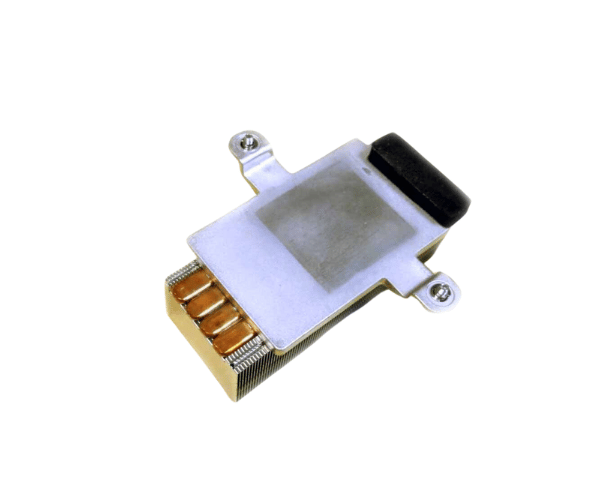
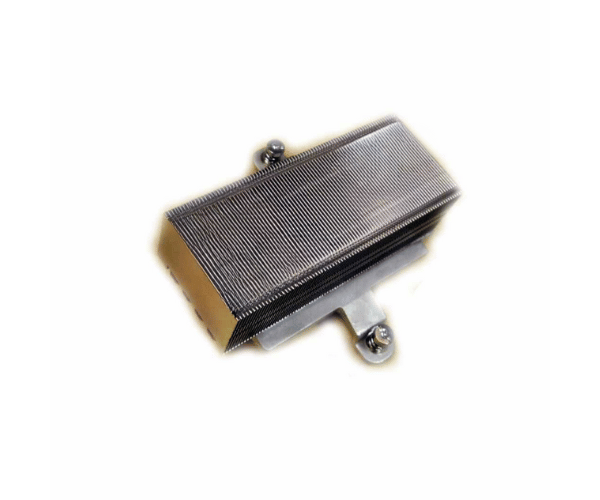
HP Compaq 624787-001 Heatsink BL460C G7
The
HP Compaq 624787-001 Heatsink is designed for the HP BL460c G7 server, offering superior heat dissipation to maintain optimal performance. With its precise fit and efficient cooling capabilities, the
HP Compaq 624787-001 Heatsink ensures that your server remains stable and operates effectively under demanding conditions.
User Experience
The
HP Compaq 624787-001 Heatsink is well-regarded for its efficient cooling performance. Users find that it fits perfectly into the HP BL460c G7 server, providing reliable heat management and enhancing server stability. The lightweight and robust design of the
HP Compaq 624787-001 Heatsink helps in preventing overheating, which contributes to improved system reliability and longevity. The ease of installation further adds to its positive user experience, making it a favored choice for maintaining optimal server performance.
Why Choose the HP Compaq 624787-001 Heatsink?
Choosing the
HP Compaq 624787-001 Heatsink ensures that your HP BL460c G7 server operates smoothly under high loads. This heatsink is specifically designed for a perfect fit with the BL460c G7, offering effective heat dissipation that prevents overheating. The
HP Compaq 624787-001 Heatsink helps maintain system stability and prolongs the server’s lifespan. Its compatibility and efficient cooling make it an essential component for enhancing server performance and reliability.
Key Features
- Efficient Cooling: Provides effective heat dissipation to keep your server cool and stable.
- Custom Fit: Designed specifically for the HP BL460c G7 server for optimal cooling performance.
- Lightweight Design: Made from aluminum, ensuring efficient cooling without adding excess weight.
- Simple Installation: Clip-mounted for easy and secure attachment.
- Enhanced Stability: Reduces the risk of overheating, ensuring reliable and consistent server operation.
Installation Steps
- Power Down the Server: Turn off the HP BL460c G7 server and disconnect it from the power source.
- Open the server chassis: Remove the server cover to access the CPU and existing heatsink.
- Remove Existing Heatsink: Carefully detach and remove the old heatsink from the CPU.
- Clean the CPU Surface: Wipe away any old thermal paste from the CPU surface using a clean cloth.
- Apply Thermal Paste: If needed, apply a thin layer of thermal paste to the CPU.
- Install the New Heatsink: Align the HP Compaq 624787-001 Heatsink with the CPU and clip it securely into place.
- Check Fit: Ensure the heatsink is firmly attached and properly aligned.
- Replace the Server Cover: Reattach and secure the server cover.
- Reconnect Power: Plug the server back in and power it on.
- Verify Operation: Check the server’s BIOS or operating system to ensure the heatsink is functioning correctly.