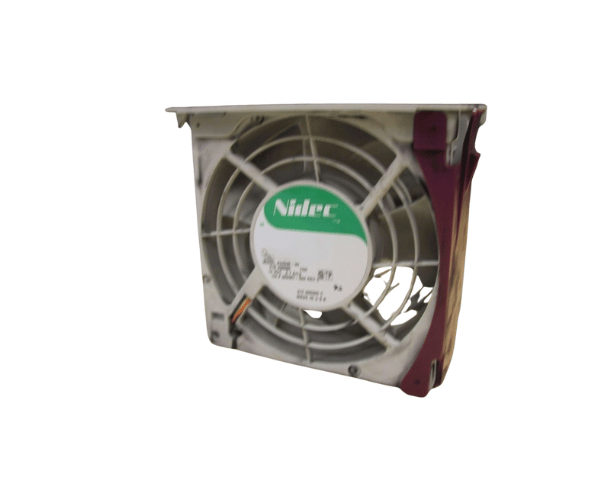
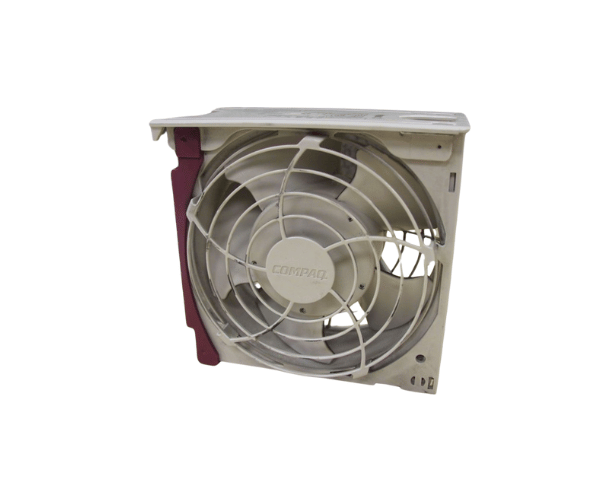
Introduction of HP Compaq 323457-002 ML530 System Fan
The
HP Compaq 323457-002 ML530 System Fan is an essential component for maintaining optimal cooling performance in HP ProLiant ML530 servers. Designed for efficiency and reliability, this system fan ensures that your server hardware operates within safe temperature ranges, prolonging its lifespan and enhancing performance. With its robust design and effective airflow management, the HP Compaq 323457-002 is a smart choice for anyone looking to improve their server's cooling system.
Why Choose the HP Compaq 323457-002 ML530 System Fan?
Choosing the
HP Compaq 323457-002 System Fan means investing in reliability and performance. This fan is specifically designed for the ML530 servers, ensuring compatibility and optimal operation. Its adjustable fan speed allows users to tailor cooling based on system demands, which is crucial in data-intensive environments. By maintaining ideal temperatures, this fan helps to protect vital components, reduce downtime, and ultimately improve the overall performance of your server setup.
User Experience
Users have reported a noticeable improvement in cooling efficiency with the
HP 323457-002 ML530 System Fan. Many have appreciated the ease of installation, which requires minimal effort. The fan operates quietly, which is a significant advantage in office settings where noise levels matter. Overall, customers express high satisfaction with the performance of this fan, noting its contribution to system stability and longevity.
Detailed Breakdown of Features
The
Compaq 323457-002 ML530 System Fan boasts several features that enhance its performance. Firstly, its adjustable speed settings allow for optimized cooling based on the server's workload. This feature is particularly beneficial during high-traffic periods when additional cooling may be required. Furthermore, its compact design means that it fits seamlessly into the ML530 server chassis without taking up unnecessary space. The lightweight construction simplifies installation, allowing users to quickly replace old or malfunctioning fans with minimal disruption. Importantly, the fan's reliable performance ensures that your server maintains safe operating temperatures, preventing overheating and potential hardware failure.
Installation Steps
- Power Down the Server: Before starting, ensure that the server is completely powered off to avoid any electrical hazards.
- Open the Server Case: Carefully remove the server case cover according to the manufacturer's instructions.
- Locate the Fan Slot: Identify the location of the existing fan or the designated fan slot within the server chassis.
- Remove the Old Fan (if applicable): If replacing an existing fan, disconnect and remove the old fan carefully.
- Insert the New Fan: Align the HP System Fan with the fan slot and gently press it into place until it is securely fitted.
- Reconnect Any Necessary Cables: Ensure all connections are secure for proper functionality.
- Close the Server Case: Replace the server case cover, ensuring all screws are tightened appropriately.
- Power On the Server: Once everything is securely in place, power on the server and verify that the fan operates correctly.
Where It Can Be Used?
The
HP Compaq ML530 System Fan is specifically designed for use in HP ProLiant ML530 servers. Its efficiency makes it suitable for various environments, including data centers, corporate offices, and small businesses that rely on server performance. Whether used in a high-traffic data environment or a quieter office setting, this fan provides essential cooling support.