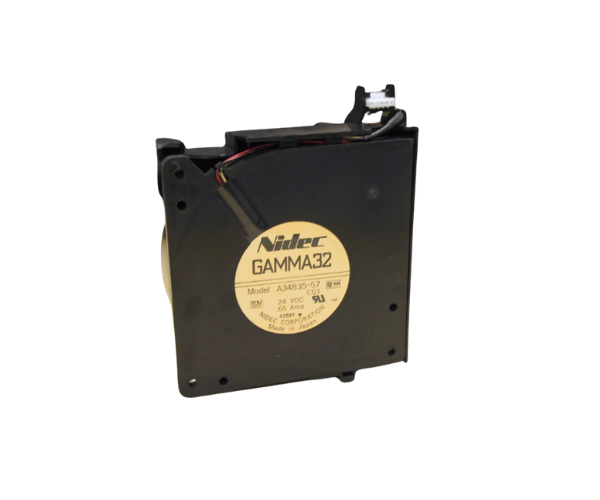
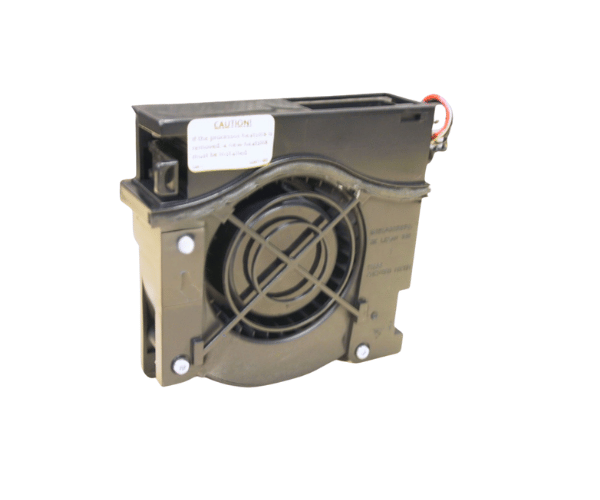
Introduction of HP Compaq 252360-001 DL360 G2 Fan Assembly
The
HP Compaq 252360-001 DL360 G2 Fan Assembly is key to keeping airflow optimal in your HP DL360 G2 server. It ensures your server runs efficiently and stays cool, even under pressure. This fan assembly helps prevent overheating, which is crucial for extending the life of your server components. If you want to boost your server’s performance and reliability, the
HP Compaq 252360-001 DL360 G2 Fan Assembly is an excellent choice.
Why Choose the HP Compaq 252360-001 DL360 G2 Fan Assembly?
The HP Compaq 252360-001 G2 Fan Assembly is known for its reliability and efficiency. It integrates seamlessly with the HP DL360 G2 server. Whether you need to replace a faulty fan or upgrade your cooling system, this fan assembly is ideal. It ensures your server maintains optimal temperatures. Choosing the HP Compaq 252360-001 G2 Fan Assembly helps extend your server's life and performance. This reduces the risk of downtime due to overheating.
User Experience
Users of the
HP 252360-001 DL360 G2 Fan Assembly often report a significant improvement in their server's cooling efficiency. This fan assembly is designed to operate quietly while delivering powerful airflow, which is crucial for maintaining the server's performance during intensive tasks. The easy installation process also means that users can quickly upgrade their cooling systems without professional assistance.
Detailed Breakdown of Features
The
HP Compaq 252360-001 DL360 G2 Fan delivers powerful cooling with minimal noise. It ensures that your HP DL360 G2 server stays cool, even during heavy use. This helps prevent overheating, which can cause hardware issues and data loss. The fan uses less power, so it won’t stress your server’s power supply, making it energy-efficient.
Built to high HP standards, this fan assembly is durable and reliable for continuous use. The plug-and-play design makes installation quick and easy, making it perfect for both upgrades and replacements.
Installation Steps
- Power Down the Server: Before starting the installation, ensure the server is completely powered off to avoid any risk of electrical shock.
- Access the Server’s Internal Components: Remove the server cover to access the internal components.
- Locate the Fan Assembly: Identify the existing fan assembly within the HP DL360 G2 server.
- Remove the Old Fan Assembly: Carefully disconnect and remove the old fan assembly from its slot.
- Install the New Fan Assembly: Insert the HP 252360-001 Fan into the slot and secure it in place.
- Reconnect Power and Test: Reconnect any power cables, replace the server cover, and power on the server to ensure the fan is working correctly.
Where It Can Be Used?
The
HP Compaq 252360-001 DL360 G2 Fan is specifically designed for use in the HP DL360 G2 server. It is suitable for both corporate data centers and small business environments where maintaining server reliability and performance is critical. This fan assembly is ideal for situations where the server is under heavy load or in environments with elevated ambient temperatures.