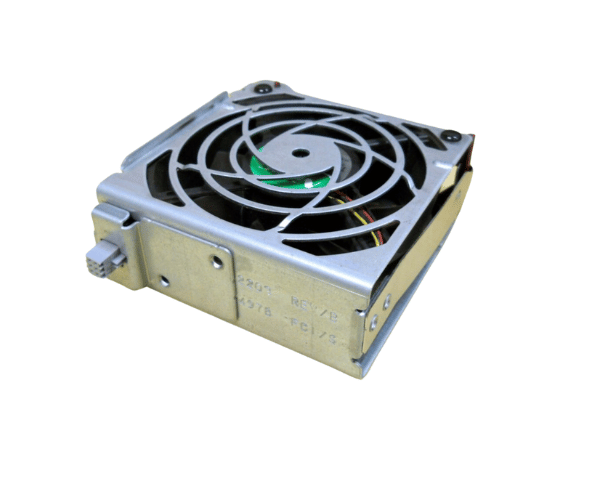
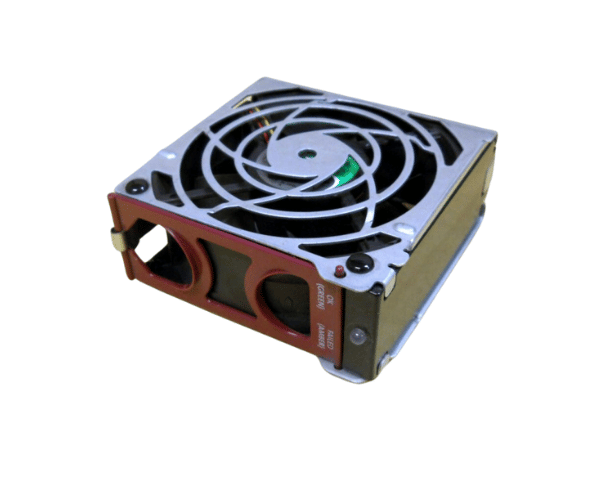
HP/Compaq 224978-001 Redundant 92MM Fan Kit
The HP/Compaq 224978-001 Redundant 92MM Fan Kit offers dependable cooling for HP ML370-G2, ML370-G3, and ML370-G4 servers.. This essential cooling component ensures your server operates efficiently by preventing overheating, maintaining optimal performance, and extending hardware lifespan.
User Experience
Users of the HP/Compact 224978-001 Redundant 92MM Fan Kit report excellent cooling performance and reliability. The redundant fan setup provides peace of mind by ensuring continuous cooling even if one fan fails. The HP/Compaq 224978-001 is noted for its quiet operation, which helps maintain a calm working environment. Installation is straightforward, and the fan kit integrates seamlessly into HP ML370 servers. Customers appreciate the durability and efficiency of the HP/Compact 224978-001, making it a preferred choice for server cooling needs.
Why choose the HP/Compaq 224978-001 Redundant 92MM Fan?
Choosing the
HP/Compaq 224978-001 Redundant 92MM Fan Kits ensures reliable cooling for your HP ML370-G2, ML370-G3, and ML370-G4 servers. The HP/Compaq 224978-001 offers a redundant cooling solution, which means your server remains protected even if one fan fails. This fan kit is specifically designed for compatibility with these HP server models, providing optimal airflow and temperature control. Its quiet operation and energy efficiency make it ideal for both quiet and high-performance environments. Opt for the HP/Compaq 224978-001 to enhance your server's cooling system and ensure uninterrupted performance.
Key Features
- Redundant cooling provides continuous airflow even if one fan fails.
- Effective Airflow: Ensures optimal cooling to prevent server overheating.
- Durable Build: Made from high-quality materials for extended durability.
- Quiet Operation: low noise levels for a quieter working environment.
- Easy Installation: Designed for straightforward setup and integration with HP ML370 servers.
Installation Steps
- Power Down the Server: Turn off the server and disconnect all power sources to ensure safety during installation.
- Open the server chassis: Remove the server cover or access panel to access the internal components.
- Locate the Existing Fan Assembly: Identify the location of the old fan kit within the chassis.
- Remove the Old Fan Kit: Disconnect and carefully remove the old fan assembly from its position.
- Install the HP/Compaq 224978-001 Fans Kit: Position the HP/Compaq 224978-001 92MM FAN Kit into the designated slot and secure it using screws or clips.
- Reassemble the server: Replace the cover or access panel and reconnect all power sources.
- Verify Operation: Power on the server and check that the HP/Compaq 224978-001 fan kit is operating correctly and providing sufficient cooling.