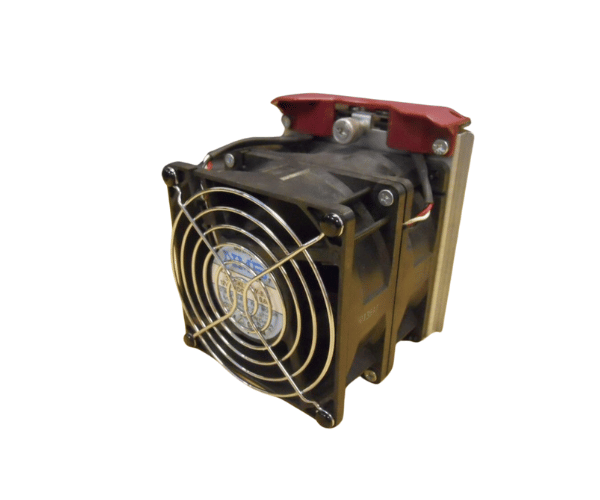
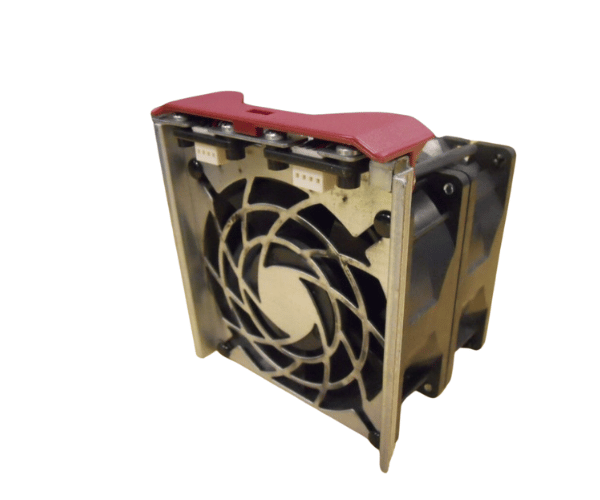
HP Compaq 177902-001 92MM x 38MM for DL580 Fan
The HP Compaq 177902-001 92mm x 38mm DL580 Fan provides effective cooling for HP DL580 servers.. With its robust airflow and durable design, this fan prevents overheating and ensures stable server operation. Ideal for maintaining optimal temperatures in demanding server environments, it contributes to the long-term reliability of your hardware.
User Experience
The HP Compaq 177902-001 DL580 Fan is highly regarded for its effective cooling performance and durability. Users appreciate its ability to manage server temperatures even under high loads, which helps to prevent hardware damage and maintain system stability. The fan operates quietly, making it suitable for various environments, from data centers to office settings. Its robust construction ensures a long lifespan, and the ease of installation is frequently noted as a benefit by users.
Why Choose The HP Compaq 177902-001 92MM x 38MM Fan?
Choosing the
HP Compaq 177902-001 92MM x 38MM fans is crucial for maintaining the optimal performance of your HP DL580 servers. Overheating can lead to decreased performance and potential hardware failure, but the HP Compaq 177902-001 92MM x 38MM Fan provides reliable cooling to prevent these issues. Its high airflow capacity and durable design make it an excellent choice for ensuring the longevity and efficiency of your servers. By selecting the HP Compaq 177902-001 92MM x 38MM Fan, you invest in both performance and reliability, ensuring your server operates smoothly and efficiently.
Key Features
- High Compatibility: Specifically designed for HP DL580 servers.
- Powerful Cooling: Provides a substantial airflow capacity of 75 CFM to keep servers cool.
- Quiet Operation: Operates at a low noise level of 35 dB, making it ideal for various environments.
- Durable Construction: Built with high-quality plastic and metal for long-term reliability.
- Compact Design: The 92MM x 38MM size fits perfectly into the server’s fan bay.
Installation Steps
- Turn off the server: and disconnect it from the power source to ensure it is completely shut down.
- Open the Server Chassis: Remove the cover of the server to access the internal components.
- Locate the Fan Bay: Identify the fan bay where the HP Compaq 177902-001 92MM X38MM DL580 Fan will be installed.
- Remove the Old Fan: If replacing an old fan, disconnect and carefully remove it from the fan bay.
- Install the HP Compaq 17790 2-001 Fan: Position the HP Compaq 17790 2-001 92MM x 38MM DL580 Fan into the mounting area, aligning it with the existing holes.
- Connect the Fan: Attach the 3-pin connector to the appropriate header on the motherboard or fan controller.
- Secure the Fan: Make sure the fan is properly seated and secured within the fan bay.
- Close the chassis: replace the server cover and secure it with screws.
- Power On the Server: Reconnect the power supply and start the server to verify that the fan is functioning properly.