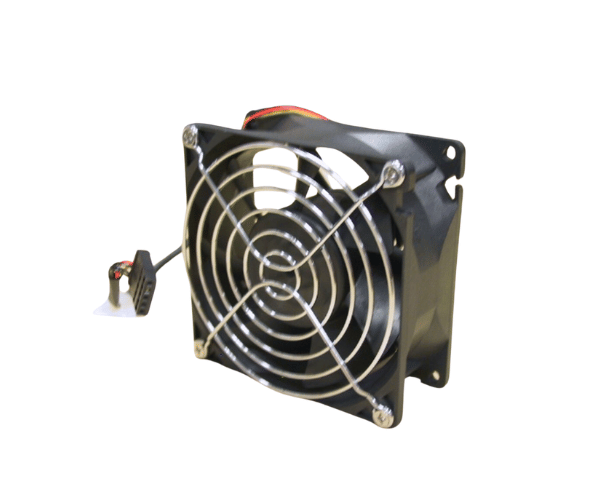
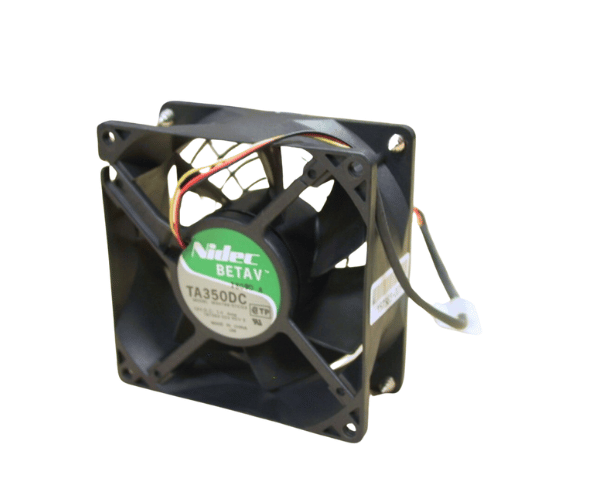
HP Compaq 157383-003 92MM CPU Fan for DL380 G1
The HP Compaq 157383-003 92MM CPU Fan is essential for keeping HP DL380 G1 servers at an optimal temperature. This fan ensures effective cooling, preventing overheating and improving server performance. With its reliable build and easy installation, the HP Compaq 157383-003 92MM CPU Fan is an essential component for server stability.
User Experience
The HP 157383-003 92MM CPU Fan DL380 G1 is widely praised for its reliable performance and efficient cooling. Users benefit from its high airflow capacity of 40 CFM, which helps maintain a stable operating temperature for the server’s CPU. The fan operates quietly at just 32 dB, ensuring minimal disruption. Its durable design and straightforward installation process make it a popular choice among IT professionals for keeping servers cool and running smoothly.
Why Choose The HP Compaq 157383-003 92MM CPU Fan?
The
HP 157383-003 92MM CPU Fan is an excellent cooling solution for HP DL380 G1 servers. With its effective cooling capability, this fan helps prevent overheating, which can lead to server malfunctions or downtime. The HP Compaq 157383-003 92MM CPU Fan is designed for durability and easy installation, making it a reliable choice for maintaining server performance. Opt for the HP Fan DL380 G1 to ensure your server remains cool and operates efficiently.
Key Features
- High Airflow: Delivers 40 CFM to keep the CPU cool under heavy loads.
- Quiet Operation: Operates at a low noise level of 32 dB for a quieter environment.
- Durable Construction: Made from robust plastic and metal materials for long-lasting performance.
- Easy Installation: Features a 3-pin connector for simple setup and replacement.
- Dependable cooling: Provides consistent cooling to prevent CPU overheating and system issues.
Installation Steps
- Power On the Server: Reconnect the power and restart the server to verify the fan’s operation.
- Open the server chassis. Take off the cover to access these internal components..
- Locate the CPU Fan Bay: Find the fan bay designated for the HP Compaq 157383-003 92MM CPU Fan.
- Remove Existing Fan: Disconnect and take out the old CPU fan if it’s already installed.
- Install the new fan: Align the HP Compaq 157383-003 92MM CPU Fan with the mounting holes and place it in the fan bay.
- Connect the Fan: Attach the 3-pin connector to the corresponding header on the motherboard.
- Secure the Fan Unit: Ensure that the fan is properly mounted and secure.
- Close the chassis. Replace the server cover and screw it back into place.
- Power On the Server: Reconnect the power and start the server to check if the fan is working correctly.