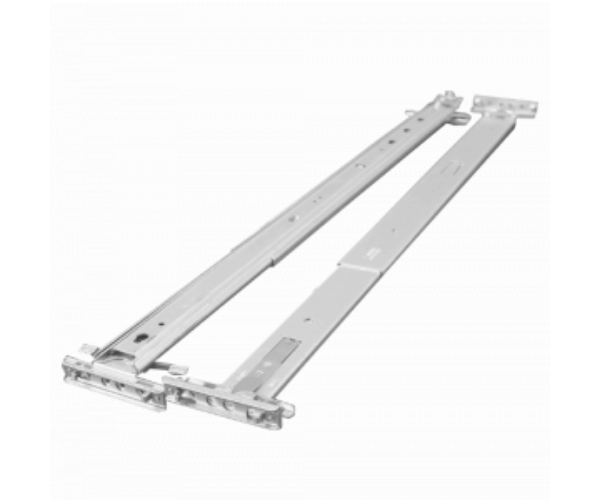
HP AM227A Integrity rx2800 Racking Kit
The HP AM227A Integrity rx2800 Racking Kit is designed for securely mounting the HP Integrity rx2800 server into standard racks. This robust kit ensures a stable and efficient setup, optimizing space in your data center. Ideal for maintaining a tidy and organized server environment, the HP AM227A provides durability and ease of use.
User Experience
The HP AM227A rx2800 Racking Kit enhances the user experience by providing a reliable and straightforward solution for mounting the HP rx2800 server. Users appreciate the kit’s ease of installation and the secure fit it offers. The robust construction ensures that the server is stable, minimizing movement and vibrations. Many users find that the HP AM227A racking kit improves the organization and efficiency of their server environment, contributing to better overall server performance and reliability.
Why Choose the HP AM227A rx2800 Racking Kit?
Choosing the
HP AM227A rx2800 Racking Kit guarantees you are using a high-quality, genuine HP product specifically designed for the HP rx2800 server. This racking kit provides a perfect fit and secure mounting, essential for maintaining server stability and performance. The HP AM227A racking kit simplifies the installation process and enhances your data center organization. By selecting the HP AM227A, you invest in a durable and reliable mounting solution that ensures your server is securely and efficiently positioned within the rack.
Installation Steps
- Prepare the Rack: Ensure the rack is correctly positioned and the installation area is clear.
- Unbox the Racking Kit: Remove the HP AM227A rx2800 Racking Kit from its packaging and verify all components are present.
- Attach the Rails: Align the rails with the rack’s mounting holes and secure them using the provided screws.
- Install the Server: Slide the HP Integrity rx2800 server onto the mounted rails, ensuring proper alignment.
- Secure the Server: Lock the server into place by tightening any additional screws or using locking mechanisms provided.
- Verify Stability: Check that the server is firmly mounted and there is no excessive movement.
- Reconnect Cables: Reconnect any cables and power sources to the server.
- Test the Setup: Power on the server to ensure it operates correctly and is securely mounted.