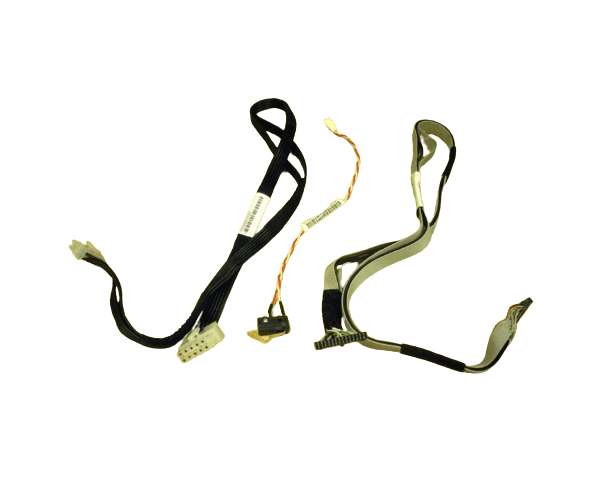
HP AH395-67002 INTRUSION SWITCH AND CABLE
The
HP AH395-67002 Intrusion Switch and Cable is an essential security component for safeguarding your HP server from unauthorized access. This reliable intrusion switch helps detect and alert administrators to any tampering or unauthorized opening of the server chassis, ensuring your sensitive data remains protected.
User Experience
Users of the
HP AH 395-67002 Intrusion Switch and Cable appreciate the added layer of security it provides. The switch is easy to install and integrates seamlessly with HP servers. Users have found that it effectively detects unauthorized access attempts, providing peace of mind and reinforcing the overall security of their systems. The
HP AH395-67002 Intrusion Switch and Cables ensures that any tampering with the server chassis is immediately detected, allowing for prompt action to be taken.
Why Choose This Product?
The
HP AH 395-67002 Intrusion Switch and Cable is an essential component for any business that prioritizes server security. Designed specifically for HP servers, this switch ensures that any unauthorized access to the server chassis is detected and reported instantly. With the
HP AH 395-67002 Intrusion Switch and Cable, you can safeguard your sensitive data and maintain the integrity of your server environment. Its reliable performance, easy installation, and compatibility with HP servers make it an indispensable part of your server's security system.
Key Features
- Enhanced Security: The HP AH3 95-67002 Intrusion Switch and Cable provides immediate detection of unauthorized server chassis access, helping to protect sensitive data.
- Seamless Integration: Designed for HP servers, this switch integrates effortlessly, ensuring smooth operation and compatibility.
- Easy Installation: The HP AH395-67002 Intrusion Switch and Cables is straightforward to install, making it accessible even for those with minimal technical expertise.
- Durable Construction: Built with high-quality materials, this intrusion switch offers long-lasting performance, ensuring ongoing protection.
- Compact Design: Its compact size allows for easy placement within the server chassis without taking up much space.
Installation Steps
- Power Down the Server: Before installation, ensure the server is powered off to avoid any potential electrical hazards.
- Open the Server Chassis: Carefully remove the server’s cover to access the internal components where the intrusion switch will be installed.
- Locate the Mounting Point: Find the designated location within the chassis for the intrusion switch, typically near the chassis door or panel.
- Install the Switch: Securely mount the HP AH395-67002 Intrusion Switch and Cabled to the appropriate position using the provided screws or clips.
- Connect the Cable: Attach the 2-pin connector to the corresponding port on the server's motherboard or designated security module.
- Verify the Connection: Ensure the switch is securely connected and properly aligned with the chassis door or panel.
- Close the Server Chassis: Replace the server cover and secure it tightly to ensure the switch will function correctly when the chassis is accessed.
- Power On the Server: Turn the server back on and test the intrusion switch to confirm it is working as expected.