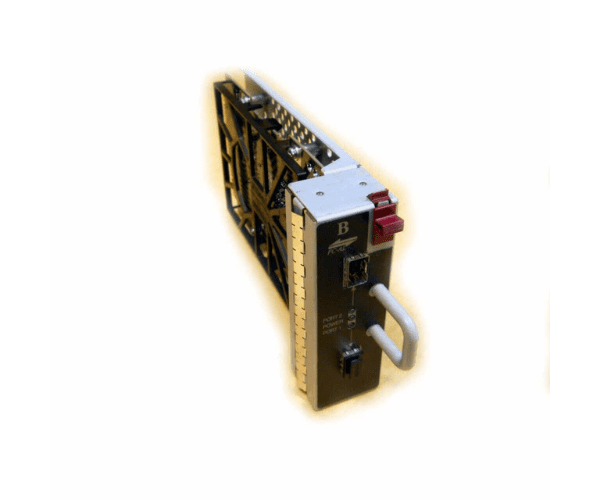
HP AD624B M5214B Fiber Channel I/O-B Module
The
HP AD624B M5214B Fiber Channel I/O-B Module is an advanced component designed for high-performance fiber channel connectivity. This module enhances data transfer capabilities within HP StorageWorks environments, offering reliable and fast connections. Ideal for enterprise systems, it ensures robust performance and seamless integration.
User Experience
The
HP AD624B M5214B Fiber I/O-B Module is well-regarded for its performance in enhancing fiber channel connectivity. Users appreciate its ease of installation and the significant improvement in data transfer speeds. The module integrates seamlessly into HP StorageWorks systems, delivering reliable and consistent performance in high-demand environments. IT professionals find it essential for maintaining efficient data operations and connectivity.
Why Choose The HP AD624B M5214B Fiber Channel I /O-B Module?
Opting for the
HP AD624B M5214B Channel I/O-B Module ensures superior channel connectivity for your HP StorageWorks setup. The
HP AD624B M5214B Channel I/O-B Module provides high-speed data transfer and robust performance, making it a crucial addition to your storage infrastructure. Its compatibility with the M5214B series guarantees smooth integration, enhancing overall system efficiency. The
HP AD624B M5214B Fiber I/O B Module is designed to meet the demands of enterprise-level data management, offering exceptional reliability and performance.
Key Features
- Provides advanced fiber channel I/O connectivity
- Compatible with HP StorageWorks M5214B
- High-speed data transfer capabilities
- Reliable performance in enterprise environments
- Easy installation and integration
- Passive cooling design
Installation Steps
- Power down the storage system and disconnect it from the power source.
- Open the storage system’s enclosure following the manufacturer’s instructions.
- Identify the slot for the fiber channel I/O module.
- Insert the HP AD624B M5214B Fiber Channel I /O-B Module into the slot, ensuring proper alignment with the connectors.
- Press the module gently until it is securely in place.
- Close the storage system enclosure and reconnect the power source.
- Power on the system and check the module’s functionality using system diagnostics.