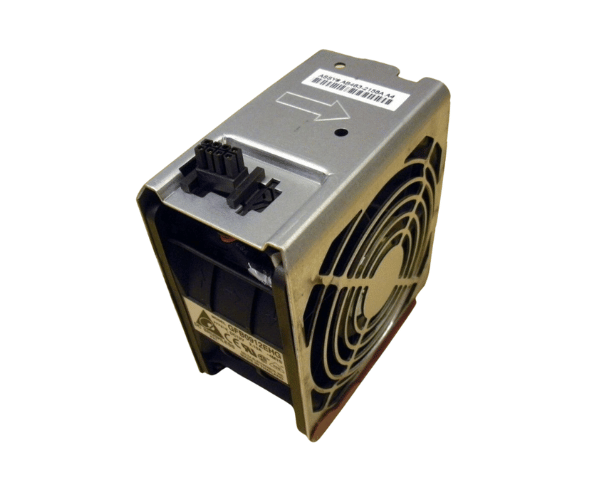
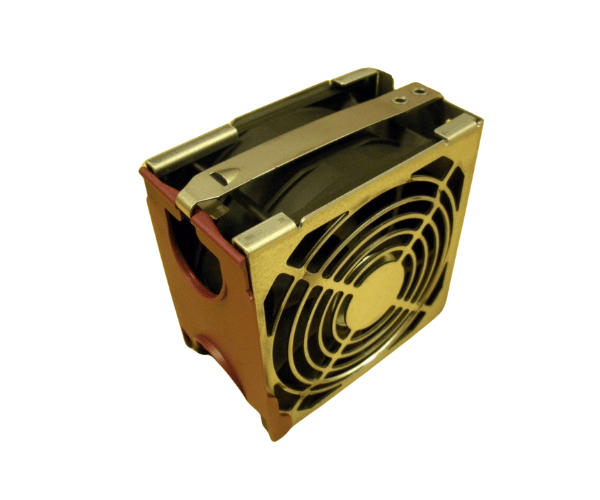
HP AB463-2158A Cooling Fan for rx3600 rx6600
The HP AB463-2158A Cooling Fan is engineered to provide superior cooling for HP rx3600 and rx6600 servers. Designed to prevent overheating, this fan ensures your server operates efficiently under heavy loads, extending the life of your components and maintaining peak performance. Ideal for data centers and enterprise environments.
User Experience
Users of the HP AB463-2158A Cooling Fan for rx3600-6600 have consistently praised its effectiveness in maintaining optimal temperatures. The fan is noted for its quiet operation, making it suitable for both office and data center environments. The robust construction ensures long-term reliability, and the efficient airflow helps prevent server overheating even under heavy workloads. Users find the fan easy to install and appreciate its ability to maintain system stability and performance.
Why Choose The HP AB463-2158A Cooling Fan for rx3600 rx6600?
Choosing the
HP AB463-2158A Cooling Fan ensures that your servers stay cool and perform optimally. Overheating can lead to hardware damage and reduced performance, but the HP AB463-2158A Cooling Fan provides reliable cooling to mitigate these risks. Designed specifically for HP rx3600 and rx6600 servers, this fan offers excellent airflow and durability, making it a smart choice for maintaining the efficiency and longevity of your server infrastructure. The HP AB463-2158A Cooling Fan is an investment in the reliability and performance of your critical systems.
Key Features
- High Compatibility: Designed for HP rx3600 and rx6600 servers.
- Efficient Cooling: Delivers a powerful airflow capacity of 85 CFM.
- Quiet Operation: Operates at a low noise level of 32 dB.
- Durable Construction: Made from high-quality plastic and metal for long-lasting performance.
- Easy Installation: Simple to install with a standard 4-pin PWM connector.
Installation Steps
- Power Down the Server: Ensure the server is turned off and disconnected from the power source.
- Open the Server Chassis: Remove the server cover to access the internal components.
- Locate the Fan Bay: Find the designated fan bay where the HP AB463-2158A Cooling Fan will be installed.
- Remove the Old Fan: If replacing an existing fan, carefully disconnect and remove it from the fan bay.
- Install the HP AB463-2158A Fan: Position the HP AB463-2158A Cooling Fan into the fan bay, aligning it with the mounting holes.
- Connect the Fan: Attach the 4-pin PWM connector to the server’s fan header on the motherboard.
- Secure the Fan: Ensure the fan is properly seated and secured in the fan bay.
- Close the Server Chassis: Reattach the server cover and secure it with screws.
- Power On the Server: Reconnect the power supply and turn on the server to verify that the fan is functioning correctly.