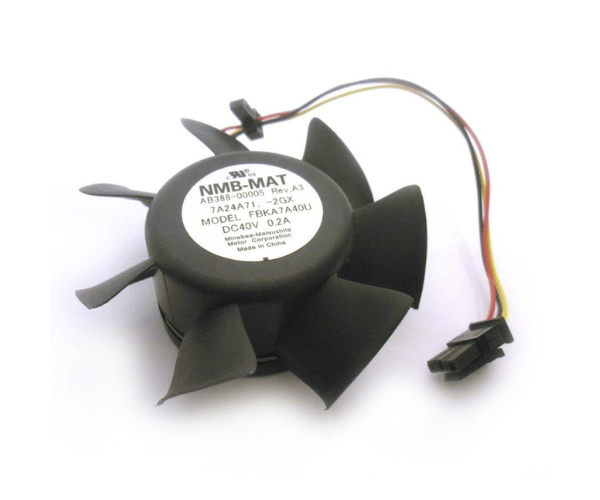
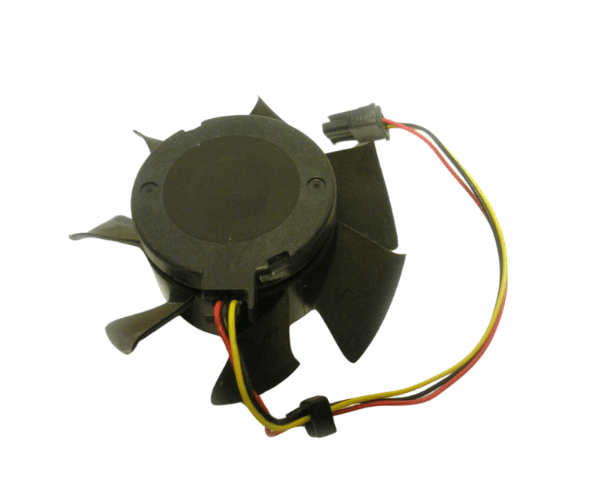
HP AB388-00005 Turbo Cooler Fan 66mm Central Processing Unit
The HP AB388-00005 Turbo Cooler Fan 66mm Central Processing Unit designed for central processing units (CPUs). This turbo cooler fan provides efficient heat dissipation to maintain optimal CPU temperatures, ensuring stable and reliable system performance. Ideal for HP systems, it enhances cooling efficiency and prevents overheating.
User Experience
Users find the HP AB388-00005 Turbo Cooler Fan to be highly effective for keeping CPUs cool under heavy workloads. The 66mm size ensures it fits well in various systems while providing robust cooling performance. Its quiet operation minimizes system noise, and its efficient heat dissipation helps maintain overall system stability. Users report improved performance and reliability with the HP AB388-00005, making it a popular choice for enhancing CPU cooling.
Why Choose the HP AB388-00005 Turbo Cooler Fan 66mm CPU?
The
HP AB388-00005 Turbo Cooler Fan is an excellent choice for anyone looking to improve their CPU cooling. Its 66mm size is perfect for compact spaces while delivering powerful cooling performance. The turbo design ensures effective heat dissipation, preventing CPU overheating and enhancing system stability. Choosing the HP AB388-00005 means opting for a high-quality, reliable cooling solution tailored for central processing units, ensuring optimal system performance and longevity.
Key Features
- Effective Cooling: Provides superior heat dissipation to keep CPUs at optimal temperatures.
- Compact 66mm Design: Fits comfortably in various CPU sockets, making it versatile.
- Turbo Performance: Ensures high-efficiency cooling under heavy processing loads.
- Quiet Operation: Low noise levels contribute to a quieter computing environment.
- Reliable Heat Management: Enhances overall system stability and performance.
Installation Steps
- Power Down the System: Ensure your computer is turned off and disconnected from power before installation.
- Locate the CPU Socket: Find the CPU socket where the fan will be installed.
- Remove the Existing Fan (if applicable): Detach any previous cooler fan from the CPU socket.
- Position the HP AB388-00005 Fan: Align the new HP AB388-00005 Turbo Cooler Fan with the CPU socket.
- Secure the Fan: Attach the fan to the socket, ensuring it is properly seated and connected.
- Reconnect Power: Plug in and power on your system, verifying that the fan operates correctly.