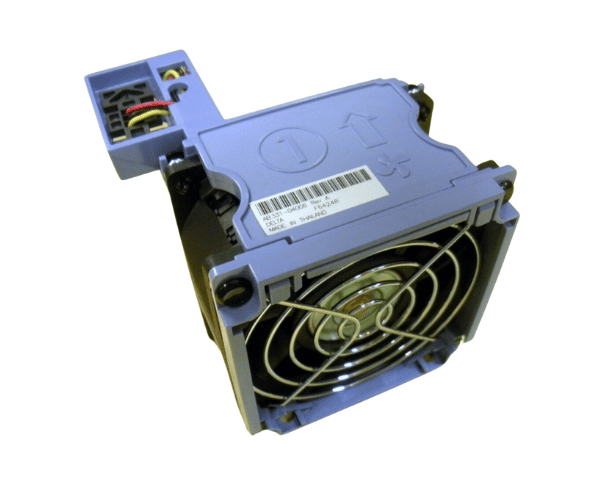
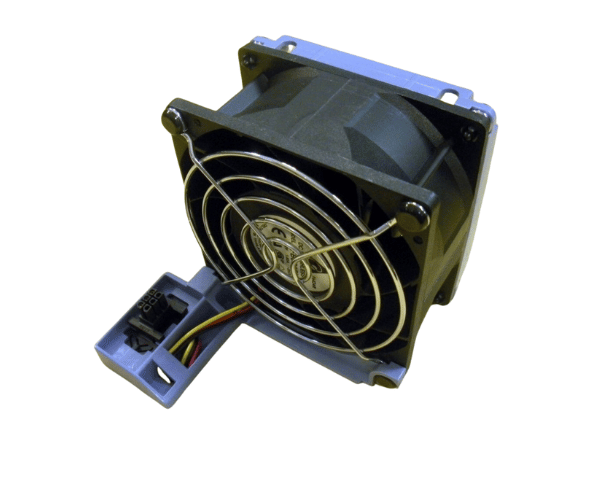
HP AB331-04006 80mm CPU/Chassis Fan for rx2600, rx2620, rp3410, rp3440 Servers
The HP AB331-04006 80mm CPU/Chassis Fan is a critical component for maintaining optimal temperatures in HP servers like the rx2600, rx2620, rp3410, and rp3440. Engineered for reliable cooling, this fan ensures your server operates smoothly under heavy loads, protecting your hardware from overheating and extending its lifespan.
User Experience
Users of the HP AB331-04006 80mm CPU Fan rx2600 rx2620 rp3410 rp3440 servers consistently report high satisfaction due to its reliable performance. Installation is straightforward, and once in place, the fan efficiently cools the CPU and chassis, ensuring stable temperatures even during peak operations. The low noise level is a significant advantage, making it ideal for environments where quiet operation is essential. This fan is recognized for its durability, consistently delivering strong performance over extended periods, which helps avoid costly downtime and ensures the longevity of your HP servers.
Why choose the HP AB331-04006 80mm CPU/Chassis Fan?
Choosing the
HP AB331-04006 80mm CPU/CChassis Fan for rx2600, rx2620, rp3410, and rp3440 servers is a wise investment in maintaining your server’s performance and reliability. The HP AB331-04006 80mm CPU Fan rx2600 rx2620 rp3410 rp3440 is specifically designed to fit these HP servers, guaranteeing seamless compatibility and optimal cooling. With this fan, you can trust that your servers will remain cool under pressure, preventing overheating and hardware failures. Its robust design and quiet operation make it an essential component for any server environment where reliability and efficiency are paramount.
Key Features
- High Compatibility: Specifically designed for HP rx2600, rx2620, rp3410, and rp3440 servers.
- Efficient Cooling: Provides excellent airflow to maintain stable CPU and chassis temperatures.
- Durable Construction: Built with high-quality materials for long-term performance.
- Low Noise Operation: Quiet operation, ideal for noise-sensitive environments.
- Energy Efficient: Uses minimal power, enhancing overall energy savings.
Installation Steps
- Power Down the Server: Ensure the server is completely turned off and unplugged from power sources.
- Remove the Server Cover: Gently open the server chassis to access internal components.
- Locate the Existing Fan: Identify the position of the current CPU/chassis fan on the server.
- Remove the Old Fan: Disconnect and remove the old fan from its mounting location.
- Install the HP AB331-04006 fans: Place the HP AB331-04006 80mm CPU Chassis Fan in the designated slot, securing it with the appropriate screws or clips.
- Reconnect Power and Close the Server: After installation, reattach the server cover and reconnect all power sources.
- Verify Operation: Power on the server and check for proper fan operation and adequate airflow.