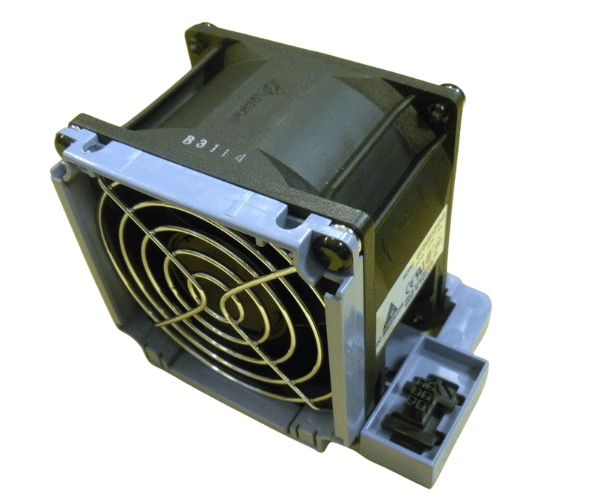
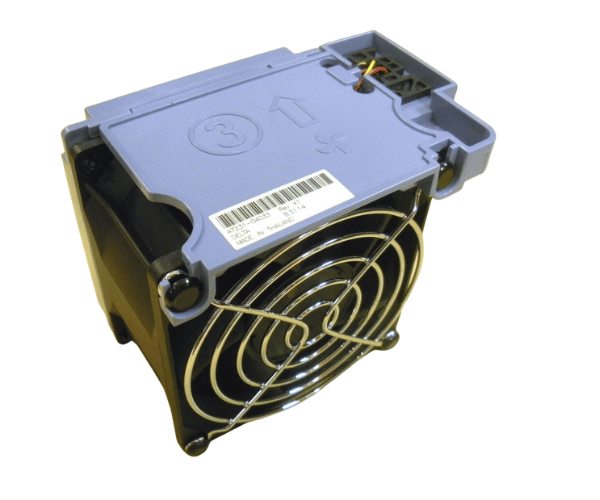
HP A7231-04033 80mm Dual Fan for RX2600, RX2620, RP3410, RP3440
The
HP A7231-04033 80mm Dual Fan (#3) is designed to enhance cooling performance for
HP RX2600,
RX2620,
RP3410, and
RP3440 servers. With its dual-fan setup, it provides efficient airflow to keep your systems running cool and stable even under high workloads.
User Experience
Users of the
HP A7231-04033 80mm 2Fan (#3) appreciate its effective cooling capabilities. It significantly improves the performance of
HP RX2600,
RX2620,
RP3410, and
RP3440 servers by maintaining optimal temperatures and ensuring reliable operation. The dual-fan design reduces the risk of overheating, making it a preferred choice for many IT professionals.
Why Choose the HP A7231-04033 80 mm Dual Fan (#3)?
The
HP A7231-04033 80mm 2Fan (#3) is ideal for
HP RX2600,
RX2620,
RP3410, and
RP3440 servers due to its Two-fan setup, which provides
superior cooling efficiency. Its
easy installation,
durable build, and
quiet operation make it an excellent solution for ensuring your server maintains peak performance and reliability.
Key Features
- Dual-Fan Design: Provides enhanced cooling with two 80mm fans for improved airflow.
- Low Noise Operation: Reduces noise levels, making it suitable for quiet environments.
- Compact Dimensions: 80mm diameter per fan fits standard server slots.
- Durable Construction: Made from industrial-grade plastic for long-lasting durability.
- Easy Installation: Plug-and-play design allows for quick and simple setup.
Installation Steps
- Power Down: Switch off the server and disconnect it from the power source.
- Locate the Fan Slot: Find the designated fan slot in your HP RX2600, RX2620, RP3410, or RP3440 server.
- Remove Old Fan (if applicable): Unscrew or unfasten the old fan assembly.
- Insert New Fan: Place the HP A7231-04033 80mm Two Fan (#3) into the slot.
- Secure the Fan: Fasten the new fan using screws or clips.
- Reconnect Power: Reconnect the server to the power source and turn it on.
- Verify Operation: Ensure the fan is operating properly and providing adequate cooling.