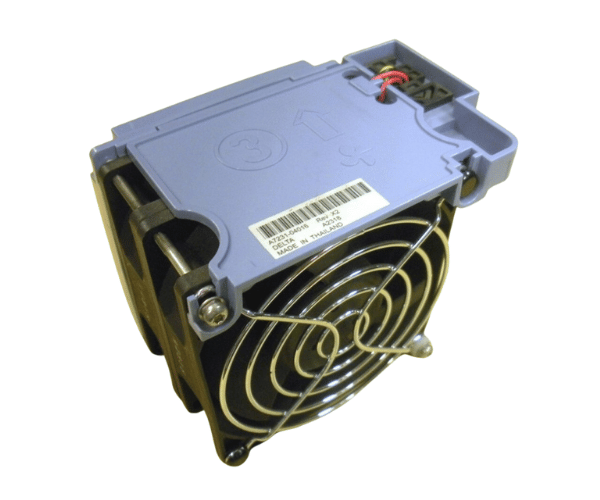
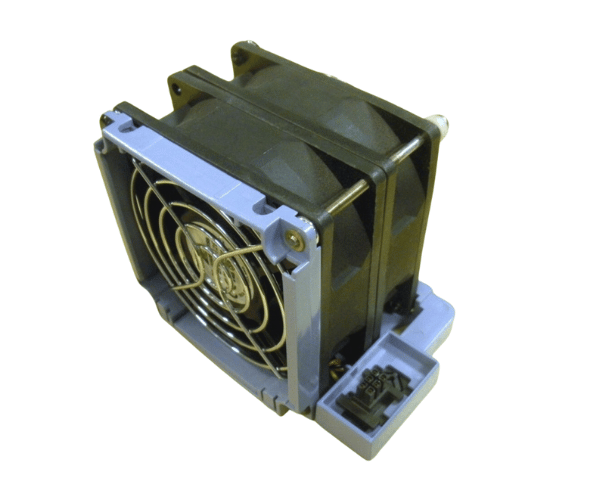
HP A7231-04016 Dual Fan for zx6000
The HP A7231-04016 Dual Fan is a crucial cooling component designed for the HP zx6000 server. With its efficient dual-fan setup, this unit ensures optimal cooling and airflow, preventing overheating and maintaining peak server performance. Essential for high-demand environments, it helps safeguard your hardware and data integrity.
User Experience
Users of the HP A7231-04016 Dual Fan for zx6000 report high satisfaction due to its robust cooling capabilities and reliable performance. The dual-fan setup improves airflow and manages server temperatures efficiently, even under heavy use.. The installation process is straightforward, with the fan fitting seamlessly into the zx6000 chassis. The low noise level of the HP A7231-04016 Dual Fan makes it suitable for both quiet and demanding environments. Users appreciate its durability and the extended lifespan it offers, ensuring continuous protection for critical server components.
Why Choose the HP A7231-04016 Dual Fan?
Opting for the
HP A7231-04016 D 2-Fan for zx6000 is a smart choice for maintaining optimal server performance and longevity. The HP A7231-04016 2-Fan is specifically engineered for the HP zx6000, providing a perfect fit and reliable cooling. By choosing this dual-fan unit, you ensure efficient airflow that prevents overheating and reduces the risk of hardware failure. The robust construction and low noise operation of the HP A7231-04016 Dual Fan make it an ideal component for environments where performance and quiet operation are critical. Trust the HP A7231-04016 Dual Fan to keep your server running smoothly and efficiently.
Key Features
- Dual Fan Design: Provides enhanced cooling with two fans for better airflow.
- High Compatibility: Designed specifically for HP zx6000 servers.
- Efficient Cooling: Maintains stable server temperatures under heavy loads.
- Robust Construction: Built with premium materials for lasting durability.
- Low Noise Operation: Operates quietly, ideal for both quiet and high-performance environments.
Installation Steps
- Power Down the Server: Make sure the server is fully shut down and unplugged from all power sources.
- Remove the Server Cover: Open the server’s chassis to access the internal components.
- Locate the Existing Fan Assembly: Find the location of the current fan assembly in the server.
- Remove the Old Fan Assembly: Disconnect and remove the old fan assembly from its mounting position.
- Install the HP A7231-04016 Dual Fan: Place the HP A7231-04016 Dual Fan into the designated slot, ensuring it is securely attached.
- Reconnect Power and Close the Server: Reattach the server cover, reconnect all power sources, and power up the server.
- Verify Operation: Check that the fan operates correctly and that airflow is optimal.