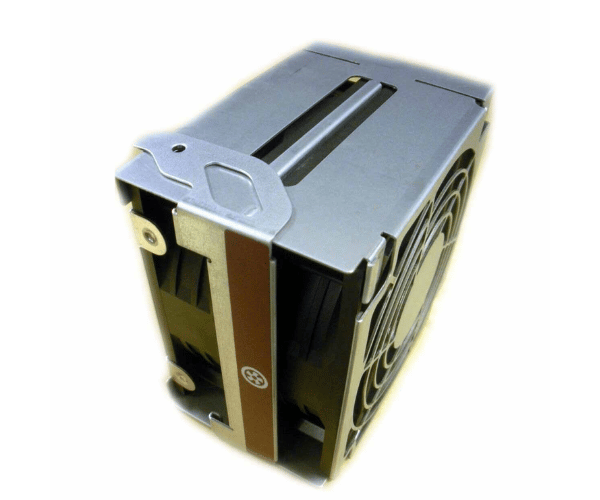
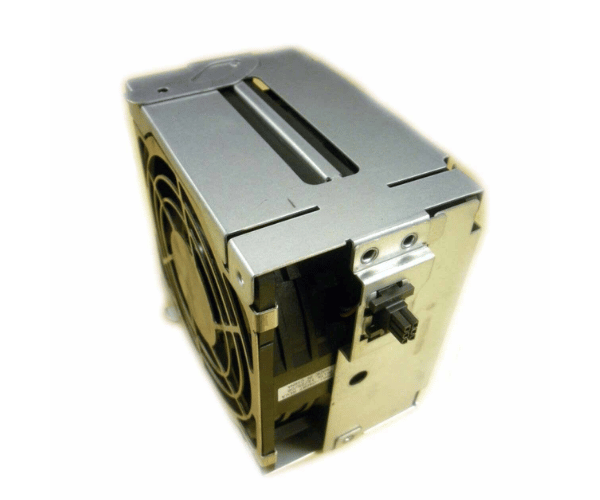
HP A6961-04055 I/O Hot Swap Fan Assembly
The
HP A6961-04055 I/O Hot Swap Fan Assembly is designed to enhance cooling performance for HP servers. This high-efficiency fan assembly is essential for maintaining optimal temperatures and ensuring smooth operation during high workloads. Its hot-swappable capability enables straightforward replacement without interrupting system operation.
User Experience
The
HP A6961-04055 Input Output Hot Swap Fan Assembly delivers reliable cooling performance for HP servers, ensuring they operate efficiently under heavy loads. Users value its hot-swappable design, which simplifies maintenance and reduces system downtime. The fan assembly’s quiet operation and robust build contribute to a smooth and stable server experience.
Why Choose the HP A6961-04055 I /O Hot Swap Fan Assembly?
Opting for the
HP A6961-04055 Input Output Hot Swap Fan Assembly ensures that your HP server maintains optimal cooling performance. Its hot-swappable feature allows you to replace the fan without shutting down your server, minimizing downtime and maintaining productivity. The
HP A6961-04055 offers superior airflow and reliability, making it an essential component for any high-performance server setup.
Key Features
- Hot-Swappable Design: Allows for fan replacement without system downtime, facilitating easy maintenance.
- High-Efficiency Airflow: Ensures effective cooling to prevent overheating and maintain system stability.
- Sturdy Build: Constructed from premium materials for extended durability.
- Quiet Operation: Operates with minimal noise, making it suitable for noise-sensitive environments.
- Standard Fit: Designed to fit perfectly within the I/O module slot of compatible HP servers.
Installation Steps
- Power Down the Server: Ensure the HP server is turned off and unplugged from the power source.
- Access the I/O Module: Open the server chassis to locate the I/O module slot.
- Remove Old Fan Assembly: If a previous fan assembly is installed, carefully remove it from the slot.
- Insert the New Fan Assembly: Place the HP A6961-04055 I/O Swap Fan Assembly into the slot, ensuring it fits securely.
- Secure the Assembly: Ensure the fan assembly is properly seated and aligned.
- Reconnect Power: Plug the server back in and power it on.
- Verify Operation: Check that the new fan assembly is operating correctly and providing adequate cooling.