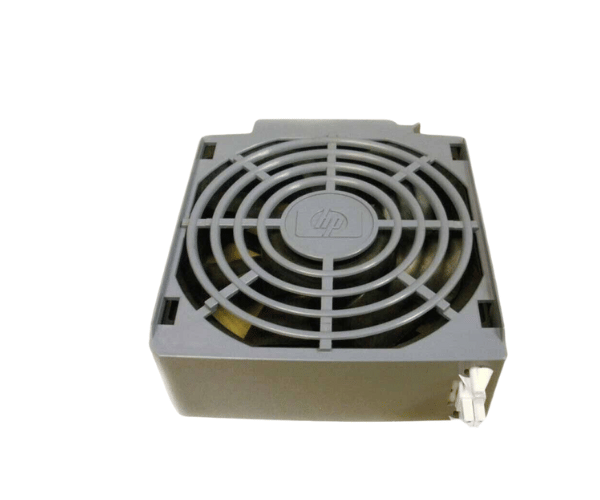
HP A6093-67019 PCI Hot Swap Fan Assembly
The
HP A6093-67019 PCI Hot Swap Fan Assembly is essential for maintaining optimal cooling in HP servers equipped with PCI slots. This hot-swappable fan assembly ensures continuous airflow, preventing overheating and maintaining system stability without requiring a system shutdown.
User Experience
Users find the
HP A6093-67019 PCI Hot Fan Assembly valuable for its ability to provide effective cooling while allowing for maintenance without server downtime. The fan's hot-swappable design means that users can replace or service it without interrupting server operations, ensuring continuous cooling and system reliability.
Why Choose the HP A6093-67019 PCI Hot Swap Fan Assembly?
The
HP A6093-67019 PCI Swap Fan Assembly is designed to offer superior cooling with the added benefit of a swap fan. This means you can replace the fan without having to power down the server, making it a practical choice for environments where uptime is crucial. Its reliable cooling ensures that your PCI components remain stable and perform optimally.
Key Features
- Hot-Swappable Design: Allows for easy replacement without shutting down the server.
- Efficient Cooling: Provides high-efficiency airflow to prevent overheating of PCI components.
- Low Noise Operation: Designed to operate quietly, making it suitable for noise-sensitive environments.
- Sturdy Design: Crafted with premium materials for lasting reliability.
- Easy Installation: Fits standard PCI slots and integrates seamlessly with existing systems.
Installation Steps
- Power Down the Server (if necessary): Although hot-swappable, ensure the server is powered off if you are performing maintenance or a complete fan replacement.
- Open the Server Chassis: Access the internal components by opening the server's case.
- Locate PCI Slot: Identify the PCI slot where the fan assembly will be installed or replaced.
- Remove Old Fan (if applicable): Carefully remove any existing fan assembly from the PCI slot.
- Install New Fan Assembly: Insert the HP A6093-67019 Hot Fan Assembly into the PCI slot, ensuring it is securely connected.
- Secure the Fan: Ensure the fan is properly aligned and fastened within the slot.
- Secure the Chassis: Reattach and fasten the server case cover.
- Reconnect Power: If the server was powered down, plug it back in and turn it on.
- Verify Operation: Check that the fan is operating correctly and providing adequate cooling.