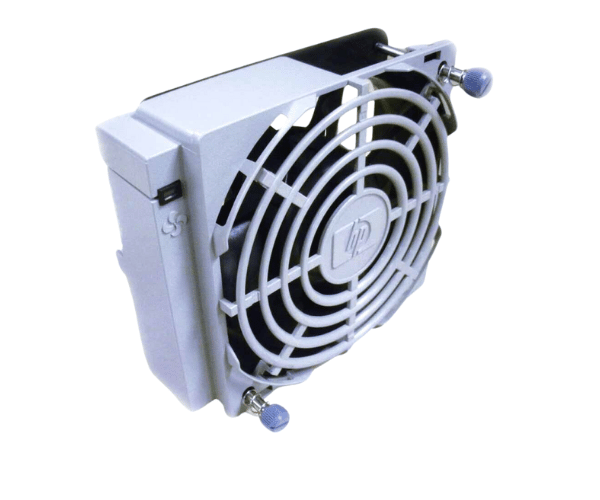
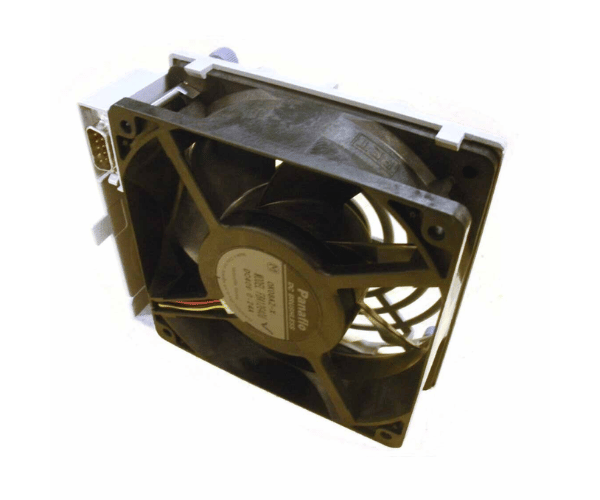
HP A6093-67017 Front Hot Swap Fan Assembly rp8400 rx8620 Server
The
HP A6093-67017 Front Hot Swap Fan Assembly is essential for maintaining optimal cooling in HP rp8400 and RP8620 servers. Designed for easy maintenance, this front fan assembly can be replaced without server downtime, ensuring continuous cooling and reliable performance.
User Experience
The
HP A6093-67017 Fronts Hot Swap Fan Assembly is highly valued for its ease of use and effective cooling performance. Users find the hot-swappable feature incredibly convenient for minimizing server downtime during maintenance or upgrades. This fan assembly helps keep the HP RP8400 and rx8620 servers running smoothly and efficiently.
Why Choose the HP A6093-67017 Fr0nt Hot Swap Fan ?
Choosing the
HP A6093-67017 Front Swap Fan Assembly for your HP RP8400 or RP8620 servers ensures efficient and reliable cooling. Its hot swappable design means you can replace or maintain the fan without shutting down your server, reducing operational interruptions and keeping your system cool and functional.
Key Features
- Hot-Swappable Design: Allows for easy fan replacement without server in downtime.
- Efficient cooling Provides high-efficiency airflow to maintain optimal server temperatures.
- Low Noise Operation: Designed to operate quietly, ideal for the noise-sensitive in environments.
- Sturdy Construction: Crafted from premium materials for enduring durability and reliable performance.
- Easy Installation: Fits seamlessly into the front fan slot of HP RP8400 and rx8620 servers.
Installation Steps
- Power Down the Server (if necessary): While the fan is hot-swappable, powering down the server can ensure safe installation.
- Open the server chassis: Access the internal components by opening the server’s chassis.
- Locate Front Fan Slot: Identify the front fan slot where the assembly will be installed.
- Remove Old Fan (if applicable): Carefully take out any existing fan assembly from the front slot.
- Install New Fan Assembly: Insert the HP A6093-67017 Fan into the front fan slot, ensuring proper alignment and connection.
- Secure the Fan: Ensure the fan is securely placed within the slot.
- Secure the chassis: Reattach and fasten the server case cover.
- Reconnect Power: Plug the server back in and turn it on if it was powered down.
- Verify Operation: Check that the new fan assembly is functioning correctly and providing adequate cooling.