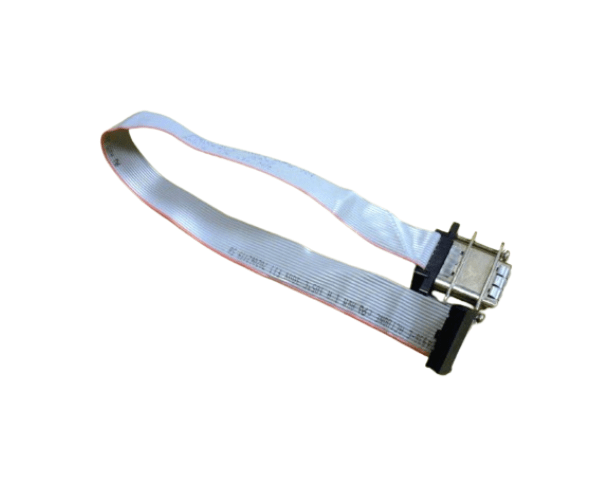
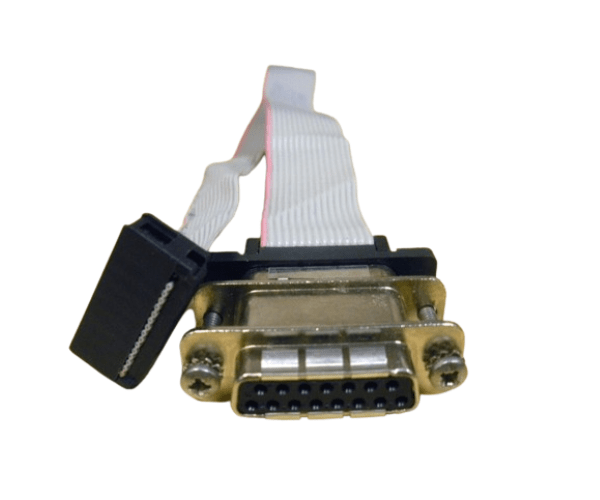
HP A6070-63003 B2600 CABLE FOR LCD DISPLAY
The
HP A6070-63003 B2600 Cable for LCD Display is essential for connecting your HP B2600 monitor to various devices, ensuring a clear and reliable visual output. Designed for high performance, this cable supports optimal display quality, making it ideal for both everyday use and professional applications.
User Experience
The
HP A6070-63003 B 2600 Cable for LCD Display is praised by users for its reliable performance and high-quality video transfer. Customers report clear and stable visuals, which enhance the viewing experience on their HP B2600 monitors. The 2-meter length offers flexibility for various setups, and the durable build ensures long-term use. Easy to install and dependable, this cable consistently meets user expectations for both personal and professional use.
Why Choose The HP A 6070-63003 B2600 CABLE FOR LCD DISPLAY?
The
HP A6070-63003 B 2600 Cables for LCD Display is the perfect choice for ensuring excellent connectivity and video quality with your HP B2600 monitor. This cable is designed to deliver superior video output, supporting clear and sharp images. With its high-quality shielding and robust connectors, the
HP A6070-63003 B2600 Cables for LCD Display provides reliable performance and durability. Whether you need a replacement or an upgrade, this cable offers a dependable solution for maintaining optimal display quality.
Key Features
- Superior Video Quality: The HP A 6070-63003 B2600 Cable for LCD Display ensures clear, high-resolution video output for the best visual experience.
- Durable Construction: Constructed with shielded conductors, this cable is built to last and withstand regular use.
- Flexible Length: At 2 meters long, it provides ample flexibility for connecting your HP B2600 monitor in various setups.
- Reliable Connectors: Features VGA or DVI connectors (depending on the model) for secure and stable connections.
- Compatibility: Specifically designed for HP B2600 LCD displays, ensuring a perfect fit and optimal performance.
Installation Steps
- Turn Off Equipment: Before installing the HP A6070-63003 B 2600 Cables for LCD Display, power off your HP B2600 monitor and any connected devices.
- Identify Ports: Locate the VGA or DVI ports on both the HP B2600 monitor and the connected device (e.g., computer).
- Connect the Cable: Plug one end of the HP A6070-63003 B 2600 Cable for LCD Display into the appropriate port on the monitor.
- Secure the Other End: Connect the other end of the cable to the corresponding port on your device.
- Check Connection: Ensure both ends of the cable are firmly connected.
- Power On Equipment: Turn on the monitor and connected device. Verify that the display is functioning correctly with clear visuals.