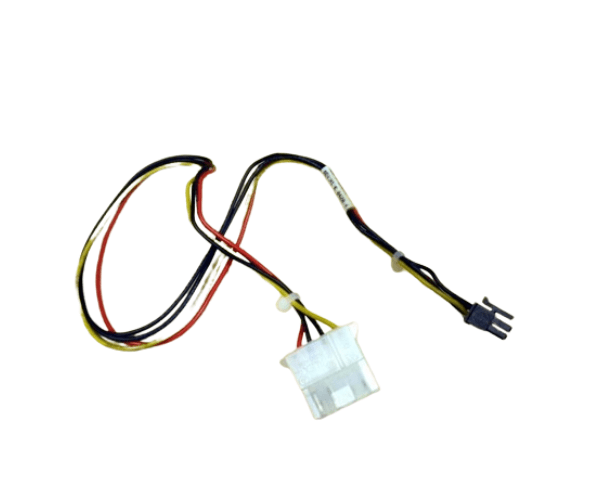
HP A6070-63002 B2600 INTERNAL POWER CABLE
The
HP A6070-63002 B2600 Internal Power Cable is a crucial component for powering your HP B2600 display. Designed for seamless integration, this internal power cable ensures stable and reliable electrical connections within your monitor. Ideal for repairs or replacements, it maintains consistent performance for your HP B2600 display.
User Experience
The
HP A6070-63002 B 2600 Internal Power Cable is well-regarded for its reliability and ease of installation. Users appreciate its stable power delivery, which ensures the HP B2600 display operates smoothly without interruptions. The cable’s high-quality construction and 1-meter length offer a flexible and durable solution for internal power connections, enhancing overall user satisfaction.
Why Choose The HP A6070-63002 B2600 INTERNAL POWER CABLE?
Opting for the
HP A6070-6 3002 B2600 Internal Power Cable guarantees dependable power delivery for your HP B2600 display. This cable is specifically designed to provide a stable internal power connection, ensuring that your monitor performs optimally. With its durable build and precise fit, the
HP A 6070-63002 B2600 Internal Power Cable is the ideal choice for maintaining the high performance of your HP B2600 display.
Key Features
- Reliable Power Delivery: The HP A6070-63002 B 2600 Internal Power Cable ensures consistent and stable power to your HP B 2600 display.
- Durable Construction: Built with high-quality insulation and shielding to withstand regular use and maintain performance.
- Flexible Length: At 1 meter, the cable provides sufficient length for internal connections, allowing for easy installation.
- Secure Connection: Features internal power connectors that fit precisely, ensuring a reliable and stable connection.
- Compatibility: Specifically designed for HP B 2600 displays, offering a perfect match and optimal performance.
Installation Steps
- Power Down the Device: Before installation, ensure that your HP B2600 display is turned off and disconnected from any power source.
- Access Internal Components: Open the display casing to access the internal power connector area.
- Disconnect Old Cable: Carefully remove the existing internal power cable from its connectors.
- Connect the New Cable: Insert the HP A6070-63002 B 2600 Internal Power Cable into the internal power connectors, ensuring a secure fit.
- Reassemble the Display: Close the display casing and secure it properly.
- Power On the Device: Reconnect the display to the power source and turn it on. Verify that the display operates correctly with stable power.