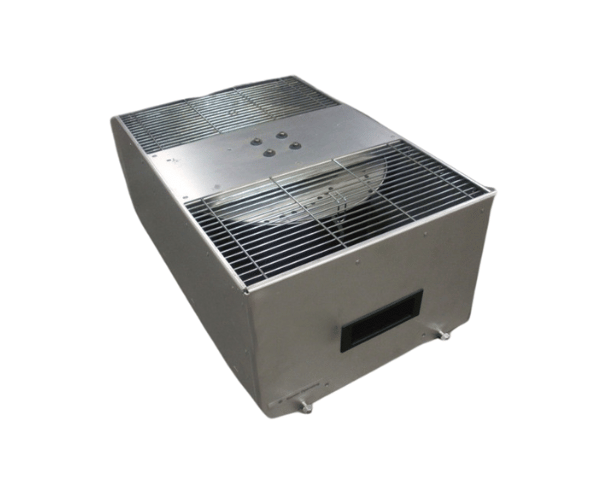
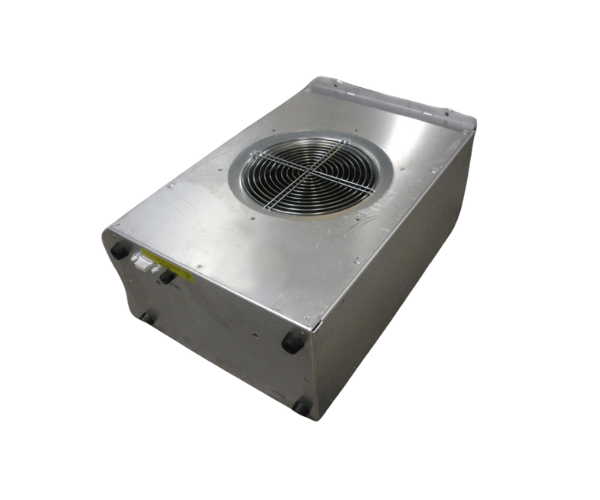
Introduction of HP A5201-62048 A5201-62032 Superdome Blower Module
The
HP A5201-62048 A5201-62032 Superdome Blower Module is an essential component for maintaining optimal airflow and cooling in your HP Superdome server. Designed with precision and efficiency in mind, this blower module ensures that your system operates smoothly under heavy workloads. With its reliable performance, it helps to prevent overheating, thus enhancing the longevity and stability of your server environment.
Why Choose the HP A5201-62048 A5201-62032 Superdome Blower Module?
Opting for the
HP A5201-A5201-62032 Superdome Blower Module guarantees enhanced airflow and cooling for your HP Superdome server. This blower module is engineered for high performance and reliability, ensuring that your server remains cool during intensive tasks. Its design allows for easy installation and compatibility with various Superdome models, making it a preferred choice for IT professionals. With this blower module, you can expect increased efficiency, reduced downtime, and overall improved server performance.
User Experience
Users have reported significant improvements in system stability and temperature management after installing the
HP A5201-62048 Superdome Blower Module. The ease of installation and the reliable cooling it provides make it a favored option among IT administrators. Many users appreciate the quiet operation of the blower, allowing them to maintain a productive work environment without excessive noise. Overall, feedback indicates high satisfaction with the module’s performance and reliability.
Detailed Breakdown of Features
The
HP A5201-62048 A5201-62032 Blower Module is designed with advanced features to ensure optimal cooling performance. Its high-efficiency fans deliver strong airflow, essential for maintaining the ideal operating temperature within the server. The module's compact design facilitates easy integration into the Superdome server, allowing for quick upgrades or replacements. Additionally, the blower's adjustable fan speed provides flexibility, enabling users to optimize cooling based on specific workload requirements. The durability of the module ensures long-lasting performance, making it a worthwhile investment for any data center.
Installation Steps
- Power Down the Server: Ensure that your HP Superdome server is completely powered down and disconnected from any power source.
- Open the Server Chassis: Carefully remove the chassis cover to access the internal components.
- Locate the Blower Module Slot: Identify the designated slot for the blower module within the server.
- Insert the Module: Gently place the HP Blower Module into the slot, ensuring it is securely fitted.
- Reconnect the Cables: If applicable, reconnect any necessary cables to the module.
- Close the Server Chassis: Replace the chassis cover securely, ensuring no loose components are left inside.
- Power On the Server: Reconnect the power supply and turn on the server to complete the installation.
Where It Can Be Used?
The
HP A5201-62032 Superdome Blower Module is primarily used in HP Superdome servers, making it ideal for data centers, enterprise environments, and any setting requiring reliable server performance. Its effective cooling capabilities are essential for applications that demand high processing power, such as database management, virtualization, and large-scale computing tasks. By integrating this blower module, organizations can ensure their servers run efficiently and reliably.