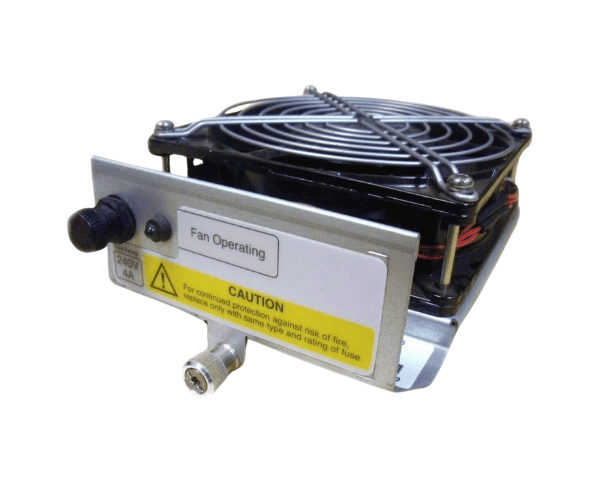
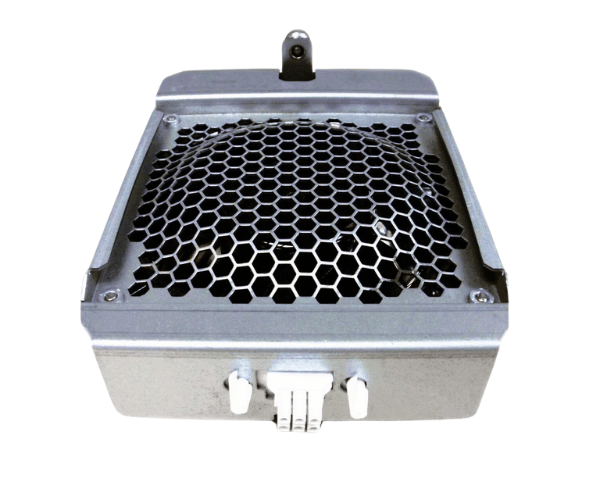
HP A5201-04035 Superdome I/O Fan Module
The
HP A5201-04035 Superdome I/O Fan Module is a critical component designed to ensure optimal cooling for HP Superdome systems. This fan module efficiently manages heat generated by high-performance I/O operations, keeping your system stable and reliable even under heavy workloads.
User Experience
Users of the
HP A5201-04035 Superdome I / O Fan Module have reported excellent performance in maintaining the temperature of their HP Superdome systems. The fan module operates quietly, ensuring minimal disruption in noise-sensitive environments, and delivers consistent airflow, which is crucial for sustaining the performance of high-end I/O systems.
Why Choose the HP A5201-04035 Superdome I/O Fan Modules?
The
HP A5201-04035 Superdome I/O Fans Module is an essential component for anyone relying on HP Superdome systems. This fan module is designed specifically to meet the cooling needs of high-performance I/O operations, ensuring your system remains stable and efficient. By choosing the
HP A5201-04035 Superdome I/O Fan Modules, you invest in reliability and peace of mind, knowing your critical hardware is protected from overheating.
Key Features
- High-Efficiency Cooling: Delivers powerful airflow to maintain optimal temperatures during heavy I/O operations.
- Robust Build: Crafted from premium materials for enduring performance.
- Quiet Operation: Low noise levels make it ideal for noise-sensitive environments.
- Effortless Setup: The plug-and-play design ensures quick and straightforward installation.
- Compact Size: Fits perfectly within the HP Superdome system, ensuring efficient space utilization.
Installation Steps
- Power Off the System: Shut down the HP Superdome system and disconnect the power source.
- Access the Fan Module Slot: Open the chassis and locate the slot for the HP A5201-04035 Superdome I /O Fan Module.
- Remove Old Module (if applicable): Carefully remove any existing fan module from the slot.
- Install the New Fan Module: Insert the HP A5201-04035 Superdome Input Output Fan Module into the slot, ensuring a secure fit.
- Secure the Module: Fasten any screws or clips to keep the module in place.
- Reconnect Power: Plug the system back in and power it on to verify the fan module is operating correctly.
- Check Functionality: Ensure the fan is providing adequate cooling and running smoothly.